<?xml version="1.0" encoding="utf-8"?><feed xmlns="http://www.w3.org/2005/Atom" ><generator uri="https://jekyllrb.com/" version="4.4.1">Jekyll</generator><link href="https://alfy.blog/feed.xml" rel="self" type="application/atom+xml" /><link href="https://alfy.blog/" rel="alternate" type="text/html" /><updated>2026-05-07T12:41:17+03:00</updated><id>https://alfy.blog/feed.xml</id><title type="html">Ahmad Alfy</title><subtitle>Blog about front-end development and the web</subtitle><entry><title type="html">The HTML Sanitizer API</title><link href="https://alfy.blog/2026/05/07/html-sanitizer-api.html" rel="alternate" type="text/html" title="The HTML Sanitizer API" /><published>2026-05-07T03:00:00+03:00</published><updated>2026-05-07T03:00:00+03:00</updated><id>https://alfy.blog/2026/05/07/html-sanitizer-api</id><content type="html" xml:base="https://alfy.blog/2026/05/07/html-sanitizer-api.html"><![CDATA[<p>There are three ways an engineer learns about Cross-Site Scripting (XSS).</p>

<p>The <strong>lucky ones</strong> learn about it through a helpful code review or a proactive security lint rule. The <strong>diligent ones</strong> learn about it during a security audit that catches a vulnerability before it hits production.</p>

<p>Then, there are the <strong>scarred ones</strong>. They learn about it when a live exploit hits their site. When an attacker injects a script that steals session tokens from <code>localStorage</code>, hijacks cookies, or redirects users to a phishing site. I personally joined the “scarred” club back in 2005, when an embedded Flash signature in a forum I owned turned into a security nightmare… but that’s a story for another time.</p>

<p>In this article, we’re going to explore how the browser is finally taking the burden of sanitization off our shoulders with the new <strong>HTML Sanitizer API</strong>.</p>

<h3 id="the-problem-with-innerhtml">The Problem with <code>innerHTML</code></h3>

<p>To understand the solution, we have to look at the danger. In the early days of the web, <code>innerHTML</code> was the magic wand that turned strings into DOM elements.</p>

<pre><code class="language-javascript">const container = document.getElementById('content');
const userInput = '&lt;img src="x" onerror="alert(\'XSS\')"&gt;';
container.innerHTML = userInput;
</code></pre>

<p>The moment that code runs, the browser tries to load a non-existent image, fails, and executes the <code>onerror</code> script. Congratulations, you’ve just been XSS’d.</p>

<p>The snippet above is a classic example of how unsanitized user input can lead to XSS vulnerabilities. Attackers usually ship payloads like this through several vectors:</p>

<ul>
  <li><strong>User-generated content</strong>: Comments, reviews, or any form of user input that gets rendered on the page. Usually, these inputs are stored in a database and rendered later. If the application doesn’t sanitize this input, it can lead to stored XSS vulnerabilities.</li>
  <li><strong>URL parameters</strong>: Attackers can craft URLs with malicious payloads in query parameters. If the application reflects these parameters back into the page without proper sanitization, it can lead to reflected XSS vulnerabilities. For example, a search page that takes a query parameter and displays it on the page without sanitization can be exploited.</li>
</ul>

<p>Historically, we solved this by pulling in <a href="https://github.com/cure53/dompurify"><strong>DOMPurify</strong></a>. It’s the de facto library for sanitizing HTML in JavaScript. It works by parsing the input string, removing any dangerous elements or attributes, and returning a safe version of the HTML.</p>

<pre><code class="language-javascript">import DOMPurify from 'dompurify';

const container = document.getElementById('content');
const userInput = '&lt;img src="x" onerror="alert(\'XSS\')"&gt;';
const sanitizedInput = DOMPurify.sanitize(userInput);

container.innerHTML = sanitizedInput;
</code></pre>

<p>Or if you were using React, you might have done something like the following, using <code>dangerouslySetInnerHTML</code> to render sanitized content:</p>

<pre><code class="language-jsx">import DOMPurify from 'dompurify';

function Comment({ content }) {
    const sanitizedContent = DOMPurify.sanitize(content);
    return &lt;div dangerouslySetInnerHTML={{ __html: sanitizedContent }} /&gt;;
}
</code></pre>

<p>DOMPurify is a fantastic tool that excels at sanitization, but not without caveats. It ships ~23.3 kB minified (~8.71 kB gzipped), requires maintenance, and essentially repeats parsing HTML which is what the browser is already designed to do.</p>

<p>That last point is critical. DOMPurify-style libraries have always been a fragile approach. The parsing APIs exposed to the web don’t always map cleanly to how the browser actually renders a string as HTML in the “real” DOM. Worse, these libraries have to chase the browser’s evolving behavior over time because things that were once safe can turn into time-bombs the moment a new platform feature ships. That puts the maintainers in a permanent race against every browser release, and once a library reaches the size and reach of DOMPurify, that race turns into a full-time job. I imagine the maintainers will be quietly thrilled the day they get to wind it down. The browser, on the other hand, knows exactly when and how it’s going to execute code. Putting sanitization inside the browser means it stays in sync with the parser by definition.</p>

<h3 id="the-new-html-sanitizer-api">The new HTML Sanitizer API</h3>

<p>The web platform now includes new APIs that make parsing and sanitizing HTML much safer. The spec introduces safer ways to insert HTML into the DOM, beyond the old <code>innerHTML</code> approach.</p>

<p>The API gives us six methods, split into two families:</p>

<ul>
  <li><strong>Safe methods</strong>: <code>Element.setHTML()</code>, <code>ShadowRoot.setHTML()</code>, <code>Document.parseHTML()</code>. These always strip XSS-unsafe content, no matter what configuration you pass.</li>
  <li><strong>Unsafe methods</strong>: <code>Element.setHTMLUnsafe()</code>, <code>ShadowRoot.setHTMLUnsafe()</code>, <code>Document.parseHTMLUnsafe()</code>. These do exactly what you tell them to, including allowing dangerous content if your config says so.</li>
</ul>

<p>Let’s walk through them.</p>

<h3 id="sethtml-the-safe-way-to-insert-html"><code>setHTML</code>: The Safe Way to Insert HTML</h3>

<p>The <code>setHTML</code> method is a new addition to the DOM API that allows developers to set HTML content in a way that is safe from XSS vulnerabilities. When you use <code>setHTML</code>, the browser automatically sanitizes the input, removing any potentially dangerous elements or attributes. It is safe by default. You still can configure it, but any configuration you pass will still not allow dangerous content to be rendered. It will <strong>always</strong> remove unsafe elements like <code>&lt;script&gt;</code> and <code>on*</code> attributes. It effectively overrides your settings if you try to be “too permissive”.</p>

<p>The simplest possible usage doesn’t even need to be configured. Just call <code>setHTML</code> with a string:</p>

<pre><code class="language-javascript">const maliciousInput = '&lt;img src="x" onerror="alert(\'XSS\')"&gt;';
document.getElementById('content').setHTML(maliciousInput);

// Result: &lt;img src="x"&gt; the onerror attribute is stripped out, preventing the XSS attack.
</code></pre>

<p>That’s it. The script in the <code>onerror</code> attribute is gone because the browser handled the sanitization logic during the parsing phase, using its built-in default safe configuration. If you’re curious about exactly which elements and attributes the default config allows, MDN has the <a href="https://developer.mozilla.org/en-US/docs/Web/API/HTML_Sanitizer_API/Default_sanitizer_configuration">full default sanitizer configuration</a> documented.</p>

<h4 id="configurable-sanitization">Configurable Sanitization</h4>

<p>When you need more control, the spec lets us define a configuration object to specify which elements and attributes are allowed or blocked. It can be a bit tricky to get the configuration right as you can accidentally specify an element in both allow and block lists, or list an attribute multiple times. The API is strict about this: if you pass an invalid configuration object, it will throw a <code>TypeError</code>. This is to ensure that developers are aware of any contradictions or redundancies in their configuration.</p>

<p>Let’s take a look at an <em>allow-list</em> configuration:</p>

<pre><code class="language-javascript">const config = {
  elements: ["em", "strong", "b", "i", "ul", "li"],
  attributes: ["id"],
  replaceWithChildrenElements: ["span", "div"],
};
const customSanitizer = new Sanitizer(config);
</code></pre>

<p>The configuration above only allows a specific set of elements and attributes. Anything not in the allow list is stripped out. The <code>replaceWithChildrenElements</code> option lets you specify elements that should be replaced with their children instead of being removed entirely. So if a <code>&lt;div&gt;</code> shows up in the input, the <code>&lt;div&gt;</code> itself is dropped but its content stays.</p>

<p>Now a <em>block-list</em> configuration:</p>

<pre><code class="language-javascript">const config = {
  removeElements: ["span", "script"],
  removeAttributes: ["lang", "id", "class", "style"],
  comments: false,
};
const customSanitizer = new Sanitizer(config);
</code></pre>

<p>This configuration specifies elements and attributes that should be removed from the input. The <code>comments</code> option controls whether HTML comments are preserved. In this example, they’re removed.</p>

<p>You cannot have both <code>elements</code> and <code>removeElements</code> in the same configuration object, as they serve opposite purposes. The same applies to <code>attributes</code> and <code>removeAttributes</code>. If you try to include both, the API throws a <code>TypeError</code>. You <em>can</em> combine <code>elements</code> with <code>removeAttributes</code>, or <code>removeElements</code> with <code>attributes</code>, just not opposing pairs at the same level.</p>

<p>Notice that in both examples, we didn’t have to worry about dangerous attributes like inline event handlers (<code>on*</code>). This is what “safe by default” means. Even if you configure <code>setHTML</code> to allow certain elements or attributes, it will still block anything that could lead to an XSS vulnerability.</p>

<h3 id="sethtmlunsafe-the-escape-hatch"><code>setHTMLUnsafe</code>: The Escape Hatch</h3>

<p><code>setHTMLUnsafe</code> is the unsafe sibling. The cleanest way to think about the difference is this:</p>

<ul>
  <li>With <code>setHTML</code>, your config is a <em>further restriction</em> on top of safe defaults. Unsafe stuff is <strong>always</strong> stripped, even if you explicitly allow it.</li>
  <li>With <code>setHTMLUnsafe</code>, your config is the <em>complete rule</em>. If you say allow <code>onclick</code>, <code>onclick</code> stays. Pass no config at all, and <strong>nothing</strong> is sanitized.</li>
</ul>

<p>There are two main reasons to reach for it:</p>

<ol>
  <li><strong>Declarative shadow roots.</strong> <code>setHTML</code> strips them as part of its safe defaults, so if you need them, <code>setHTMLUnsafe</code> is currently the only way.</li>
  <li><strong>Allowing specific “unsafe” attributes intentionally.</strong> Sometimes you genuinely need an inline handler or similar, and you want to opt in to exactly that one thing while still cleaning up the rest.</li>
</ol>

<p>Here’s the contrast in code:</p>

<pre><code class="language-javascript">const input = "&lt;img src=x onclick=alert('onclick') onerror=alert('onerror')&gt;";

// setHTMLUnsafe with a custom config: onclick is allowed, onerror is still stripped
// (because we didn't list it in the config, not because the API enforces safety).
const lessSafeConfig = new Sanitizer({
  attributes: ["onclick"],
});
document.getElementById('output').setHTMLUnsafe(input, { sanitizer: lessSafeConfig });
</code></pre>

<p><code>onerror</code> is removed because our allow-list doesn’t include it, <strong>not</strong> because <code>setHTMLUnsafe</code> enforces any safety on its own. If we’d written <code>attributes: ["onclick", "onerror"]</code>, both would have made it through. With <code>setHTML</code>, that wouldn’t matter. <code>onerror</code> would be stripped regardless.</p>

<h3 id="parsehtml-and-parsehtmlunsafe-sanitize-without-inserting"><code>parseHTML</code> and <code>parseHTMLUnsafe</code>: Sanitize Without Inserting</h3>

<p>Sometimes you don’t want to insert HTML immediately. You want to parse it, inspect it, maybe transform it, and only then decide what to do with it. That’s what <code>Document.parseHTML()</code> and <code>Document.parseHTMLUnsafe()</code> are for.</p>

<pre><code class="language-javascript">const untrustedHTML = '&lt;p&gt;Hello &lt;script&gt;alert("xss")&lt;/script&gt;world&lt;/p&gt;';

// Returns a sanitized Document you can inspect, walk, or extract from
const doc = Document.parseHTML(untrustedHTML);
console.log(doc.body.innerHTML); // &lt;p&gt;Hello world&lt;/p&gt;
</code></pre>

<p><code>parseHTML</code> follows the same rules as <code>setHTML</code>; XSS-unsafe content is always stripped. <code>parseHTMLUnsafe</code> is its counterpart and behaves like <code>setHTMLUnsafe</code>; no sanitization unless you pass a sanitizer.</p>

<p>This is particularly useful for things like building a sanitized <code>DocumentFragment</code> once and reusing it, or running checks on the sanitized output before deciding whether to render it at all.</p>

<h3 id="real-world-use-cases">Real-World Use Cases</h3>

<p>First, let’s be clear that even with the new API, <strong>backend sanitization is non-negotiable</strong>. Client-side sanitization is for the <strong>user’s experience</strong> and immediate safety. Anyone with sufficient knowledge can easily bypass your client-side code by calling your API directly. This is exactly like how we validate user input on the client for better UX, but still validate on the server for business logic and security.</p>

<p>In ShopTalkShow, <a href="https://shoptalkshow.com/704">episode 704</a>, Dave Rupert and Chris Coyier invited <a href="https://frederikbraun.de/">Frederik Braun</a> from Mozilla to talk about the HTML Sanitizer API. They discussed using Sanitizer API for <strong>Optimistic UI</strong>; the hot pattern in frontend development.</p>

<p>In a comment section, when a user hits “Post”, we usually rely on the backend to sanitize the comment, return it back to the browser, then render the response. This takes time and creates a less-than-optimal experience. Trusting raw user input and rendering it immediately can be risky, but with the new API, we can safely render the comment immediately while the backend is still processing. The result is a much smoother UX without compromising security.</p>

<pre><code class="language-tsx">import React, { useState, useRef, useEffect } from 'react';

type Comment = { id: number; content: string };

const sanitizerConfig = { elements: ["b", "i", "em", "ul", "li"] };
const sanitizer = new Sanitizer(sanitizerConfig);

function CommentItem({ html }: { html: string }) {
  const ref = useRef&lt;HTMLLIElement&gt;(null);

  useEffect(() =&gt; {
    if (!ref.current) return;
    if ('setHTML' in ref.current) {
      ref.current.setHTML(html, { sanitizer });
    } else {
      // Fallback for browsers without the API yet, ship DOMPurify,
      // or render a loading indicator until the sanitized response
      // comes back from the server.
      ref.current.textContent = html;
    }
  }, [html]);

  return &lt;li ref={ref} /&gt;;
}

const CommentSection = () =&gt; {
  const [comments, setComments] = useState&lt;Comment[]&gt;([]);

  const handleSubmit = (userInput: string) =&gt; {
    // 1. Optimistic update - render immediately, safely
    const newComment = { id: Date.now(), content: userInput };
    setComments((prev) =&gt; [...prev, newComment]);

    // 2. Post to backend (still the source of truth)
    postComment(userInput);
  };

  return (
    &lt;ul&gt;
      {comments.map((comment) =&gt; (
        &lt;CommentItem key={comment.id} html={comment.content} /&gt;
      ))}
    &lt;/ul&gt;
  );
};
</code></pre>

<p>A few things worth calling out in that example:</p>

<ul>
  <li>The <code>Sanitizer</code> is constructed once at module scope, not inside the component. Constructing it on every render is wasteful.</li>
  <li>The actual <code>setHTML</code> call is wrapped in a <code>useEffect</code> with feature detection, so the component degrades gracefully on browsers that haven’t shipped the API yet.</li>
  <li>We hand the <code>&lt;li&gt;</code> over to imperative DOM via the ref instead of mixing <code>dangerouslySetInnerHTML</code> with React’s diffing. That combo tends to cause hydration headaches.</li>
</ul>

<p>This is the kind of place <code>setHTML</code> really shines. You can’t <code>dangerouslySetInnerHTML</code> an unsanitized string without inviting an XSS, and the API gives you a path that’s both ergonomic <em>and</em> safe.</p>

<p>There are plenty of other places where the API earns its keep:</p>

<ul>
  <li><strong>WYSIWYG editors.</strong> Users routinely write content in word processors and paste it in, dragging along massive, dirty HTML and inline styles. Listening to the <code>paste</code> event and running it through <code>setHTML</code> cleans things up before insertion.</li>
  <li><strong>Live Markdown previews.</strong> When the input never even leaves the browser, you still want to sanitize the rendered HTML before showing it.</li>
  <li><strong>External feeds.</strong> RSS, syndicated content, embedded snippets and anything coming from outside your origin should be sanitized before it touches the DOM.</li>
</ul>

<h3 id="wrapping-up">Wrapping Up</h3>

<p>The HTML Sanitizer API is a significant step forward in making web development safer and more efficient. It moves security from a “library concern” to a “platform primitive”. With that, we get better performance, smaller bundle sizes, and a more secure default behavior.</p>

<p>At the time of writing (May 2026), browser support is still early. Firefox 148 shipped the standardized API in February 2026 becoming the first browser to do so. Chrome has it in Canary behind a flag, and Safari hasn’t started implementation work yet, though the team has signaled a positive position. The feature is <strong>not yet Baseline</strong>, which means production usage today still needs feature detection and a fallback (DOMPurify is still the right backup).</p>

<p>The live status of the feature is shown below.</p>

<script src="https://cdn.jsdelivr.net/npm/baseline-status@1/baseline-status.min.js" type="module"></script>

<baseline-status featureId="sanitizer"></baseline-status>
<baseline-status featureId="parse-html-unsafe"></baseline-status>

<p>Thankfully, the web has always allowed us to use features before they become fully standardized or available. Use it as a progressive enhancement now, and keep an eye on the support tables. The day this becomes Baseline is the day a lot of bundles get a little smaller and a lot of apps get a little safer.</p>]]></content><author><name></name></author><summary type="html"><![CDATA[The HTML Sanitizer API is a new browser feature that helps developers prevent XSS vulnerabilities by safely sanitizing HTML content.]]></summary></entry><entry><title type="html">Stop Hardcoding Your Timeouts</title><link href="https://alfy.blog/2026/04/23/stop-hardcoding-your-timeouts.html" rel="alternate" type="text/html" title="Stop Hardcoding Your Timeouts" /><published>2026-04-23T02:00:00+02:00</published><updated>2026-04-23T02:00:00+02:00</updated><id>https://alfy.blog/2026/04/23/stop-hardcoding-your-timeouts</id><content type="html" xml:base="https://alfy.blog/2026/04/23/stop-hardcoding-your-timeouts.html"><![CDATA[<p><em>A developer rant about tools built for one kind of internet</em></p>

<p>Recently, I’ve been losing my mind to <strong>hardcoded timeouts</strong>. Silent, arbitrary, unconfigurable time limits baked into tools by developers who apparently have never had to wait more than 200ms for anything in their lives.</p>

<p>Let me tell you about my week.</p>

<h3 id="the-skills-package-and-the-60-second-clone">The <code>skills</code> Package and the 60-Second Clone</h3>

<p>Now that coding agents are everywhere, everyone is using skills. The popular way to add them is through packages developed by vercel-labs, and the go-to collection is <strong>awesome-copilot</strong>, a curated set of skills sitting at 30K+ stars at the time of writing. Except I can’t use it. The repository is too big, and the <code>npx skills</code> installer just chokes and dies.</p>

<p>There’s an open issue about this since February <a href="https://github.com/vercel-labs/skills/issues/278">#278 on the vercel-labs/skills repo</a> and no one has responded. I’d be happy to send a PR and fix it myself. I just need someone to acknowledge it exists.</p>

<p>Is there a configuration option? A <code>--timeout</code> flag? An environment variable? No, there is nothing.</p>

<p>The workaround I found? Clone the repo manually first, then install from the local copy. It works, mostly. Except now <code>skills-lock.json</code> points to a path on my machine. My colleagues cannot use it. I also have to update my copy everytime I want update my skills. One workaround creates a lot of other problems.</p>

<h3 id="docker-gordon-and-the-2-minute-death-timer">Docker Gordon and the 2-Minute Death Timer</h3>

<p>Then came Docker Gordon, the AI-powered debugging assistant baked into Docker. Useful concept. I was stepping through a container build issue, the kind that requires iteration: tweak, rebuild, inspect, repeat. I’ve never used Gordon but when the error manifested itself, it came with a suggestion to try Gordon and so I did.</p>

<p>Except Gordon has a hard limit: if your container doesn’t finish building within <strong>two minutes</strong>, it gives up. The session dies. You start over.</p>

<p>A two-minute build might sound like plenty if you’re in a fast environment with warm caches and pulled base images. But if you’re pulling a fresh base image over a slower connection? Debugging a multi-stage build with several heavy layers? Forget it. Gordon has already moved on.</p>

<p>There is no way to configure this. No <code>GORDON_TIMEOUT=600</code> env var. No <code>--build-timeout</code> flag. Nothing. The tool just assumes that two minutes is forever, and if you need more, that’s your problem.</p>

<h3 id="the-pattern-thats-driving-me-crazy">The Pattern That’s Driving Me Crazy</h3>

<p>Developers often working on fast machines, in offices or homes with gigabit connections, in cities with world-class infrastructure. They build tools with timeout defaults that reflect their own experience. And then they ship those tools to the whole world, with no knobs to turn.</p>

<p>The thing is, timeouts <em>need</em> to exist. Infinite waits are bad. Hanging processes are bad. I’m not arguing against timeouts. I’m arguing against <strong>unconfigurable</strong> timeouts. Against the implicit message that says: <em>if you can’t do this in 60 seconds, your environment is wrong, not my assumption.</em></p>

<p>A timeout should be:</p>

<ul>
  <li>A <strong>safe default</strong> for the common case</li>
  <li><strong>Clearly documented</strong> so users know it exists</li>
  <li><strong>Overridable</strong> via a flag, an environment variable, a config file, <em>something</em></li>
</ul>

<p>This isn’t hard. It’s respect for your users.</p>

<h3 id="the-world-isnt-a-data-center-in-virginia">The World Isn’t a Data Center in Virginia</h3>

<p>I’m writing this from Cairo. My internet is decent, better than many places in the world. But it’s not 1 Gbps symmetric fiber. It’s not co-located next to an npm registry mirror. A <code>git clone</code> of a large repo takes time. Pulling a Docker image takes time. These are not failures. They are physics.</p>

<p>When your tool dies silently after 60 seconds without any way to change that limit, you haven’t built a tool for the world. You’ve built a tool for your office.</p>

<p>And this matters more than most developers acknowledge. The global developer community isn’t located in San Francisco or Amsterdam or London. It’s in Lagos, in Karachi, in Cairo. It’s people on 4G connections, on shared broadband, on connections that have real latency because the nearest CDN edge is 50ms away instead of 5.</p>

<p>When you assume a fast connection, you’re not making a neutral technical decision. You’re making a statement about whose experience matters.</p>

<h3 id="a-note-to-tool-authors">A Note to Tool Authors</h3>

<p>I don’t think anyone is doing this maliciously. I think it’s a blind spot. Your internet is fast, so a 60-second timeout feels generous. Your machines are powerful, so a 2-minute build window seems like plenty.</p>

<p>But please: before you ship a timeout, ask yourself:</p>

<ul>
  <li><strong>What if the user is on a slower connection?</strong></li>
  <li><strong>What if their repo is larger than mine?</strong></li>
  <li><strong>What if they’re debugging something slow, and that’s the whole point?</strong></li>
</ul>

<p>And then add a config option. One environment variable. One flag. That’s all it takes to go from “this tool doesn’t work for me” to “this tool works for me.”</p>

<p>As Bruce Lawson once said: <em>it’s the World Wide Web, not the Wealthy Western Web.</em></p>

<p>The web and the tools we build on top of it are for everyone. Let’s start acting like it.</p>]]></content><author><name></name></author><summary type="html"><![CDATA[Hardcoded timeouts with no config options are a silent tax on developers outside the wealthy west. A rant about npx skills, Docker Gordon, and the arrogance of assuming everyone has a fast connection.]]></summary></entry><entry><title type="html">Your URL Is Your State</title><link href="https://alfy.blog/2025/10/31/your-url-is-your-state.html" rel="alternate" type="text/html" title="Your URL Is Your State" /><published>2025-10-31T02:00:00+02:00</published><updated>2025-10-31T02:00:00+02:00</updated><id>https://alfy.blog/2025/10/31/your-url-is-your-state</id><content type="html" xml:base="https://alfy.blog/2025/10/31/your-url-is-your-state.html"><![CDATA[<p>Couple of weeks ago when I was publishing <a href="/2025/10/16/hidden-cost-of-url-design.html">The Hidden Cost of URL Design</a> I needed to add SQL syntax highlighting. I headed to <a href="https://prismjs.com/">PrismJS</a> website trying to remember if it should be added as a plugin or what. I was overwhelmed with the amount of options in the download page so I headed back to my code. I checked the file for PrismJS and at the top of the file, I found a comment containing a URL:</p>

<pre><code class="language-javascript">/* https://prismjs.com/download.html#themes=prism&amp;languages=markup+css+clike+javascript+bash+css-extras+markdown+scss+sql&amp;plugins=line-highlight+line-numbers+autolinker */
</code></pre>

<p>I had completely forgotten about this. I clicked the URL, and it was the PrismJS download page with every checkbox, dropdown, and option pre-selected to match my exact configuration. Themes chosen. Languages selected. Plugins enabled. Everything, perfectly reconstructed from that single URL.</p>

<p>It was one of those moments where something you once knew suddenly clicks again with fresh significance. Here was a URL doing far more than just pointing to a page. It was storing state, encoding intent, and making my entire setup shareable and recoverable. No database. No cookies. No localStorage. Just a URL.</p>

<p>This got me thinking: how often do we, as frontend engineers, overlook the URL as a state management tool? We reach for all sorts of abstractions to manage state such as global stores, contexts, and caches while ignoring one of the web’s most elegant and oldest features: the humble URL.</p>

<p>In my previous article, I wrote about the <a href="/2025/10/16/hidden-cost-of-url-design.html">hidden costs of bad URL design</a>. Today, I want to flip that perspective and talk about the immense value of <em>good</em> URL design. Specifically, how URLs can be treated as first-class state containers in modern web applications.</p>

<h2 id="the-overlooked-power-of-urls">The Overlooked Power of URLs</h2>

<p>Scott Hanselman famously said “<a href="https://www.hanselman.com/blog/urls-are-ui">URLs are UI</a>” and he’s absolutely right. URLs aren’t just technical addresses that browsers use to fetch resources. They’re interfaces. They’re part of the user experience.</p>

<p>But URLs are more than UI. They’re <strong>state containers</strong>. Every time you craft a URL, you’re making decisions about what information to preserve, what to make shareable, and what to make bookmarkable.</p>

<p>Think about what URLs give us for free:</p>

<ul>
  <li><strong>Shareability</strong>: Send someone a link, and they see exactly what you see</li>
  <li><strong>Bookmarkability</strong>: Save a URL, and you’ve saved a moment in time</li>
  <li><strong>Browser history</strong>: The back button just works</li>
  <li><strong>Deep linking</strong>: Jump directly into a specific application state</li>
</ul>

<p>URLs make web applications resilient and predictable. They’re the web’s original state management solution, and they’ve been working reliably since 1991. The question isn’t whether URLs <em>can</em> store state. It’s whether we’re using them to their full potential.</p>

<p>Before we dive into examples, let’s break down how URLs encode state. Here’s a typical stateful URL:</p>

<figure>
  <img src="https://alfy.blog/images/2025/10/mdn-url-all.png" alt="Anatomy of URL" />
  <figcaption><em>Anatomy of a URL - Source: <a href="https://developer.mozilla.org/en-US/docs/Learn_web_development/Howto/Web_mechanics/What_is_a_URL">What is a URL - MDN Web Docs</a></em></figcaption>
</figure>

<blockquote class="note">
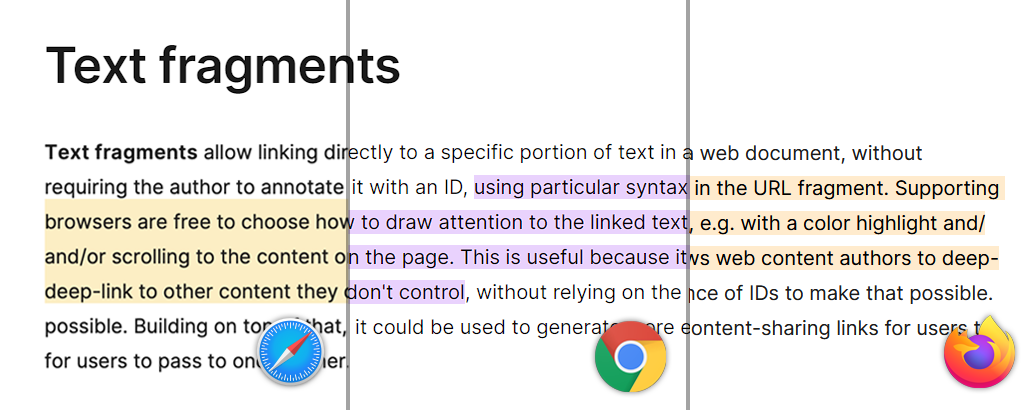
  <p>For many years, these were considered the only components of a URL. That changed with the introduction of <a href="https://developer.mozilla.org/en-US/docs/Web/URI/Reference/Fragment/Text_fragments">Text Fragments</a>, a feature that allows linking directly to a specific piece of text within a page. You can read more about it in my article <a href="/2024/10/19/linking-directly-to-web-page-content.html">Smarter than ‘Ctrl+F’: Linking Directly to Web Page Content</a>.</p>
</blockquote>

<p>Different parts of the URL encode different types of state:</p>

<ol>
  <li>Path Segments (<code>/path/to/myfile.html</code>). Best used for <strong>hierarchical resource navigation</strong>:
    <ul>
      <li><code>/users/123/posts</code> - User 123’s posts</li>
      <li><code>/docs/api/authentication</code> - Documentation structure</li>
      <li><code>/dashboard/analytics</code> - Application sections</li>
    </ul>
  </li>
  <li>Query Parameters (<code>?key1=value1&amp;key2=value2</code>). Perfect for <strong>filters</strong>, <strong>options</strong>, and <strong>configuration</strong>:
    <ul>
      <li><code>?theme=dark&amp;lang=en</code> - UI preferences</li>
      <li><code>?page=2&amp;limit=20</code> - Pagination</li>
      <li><code>?status=active&amp;sort=date</code> - Data filtering</li>
      <li><code>?from=2025-01-01&amp;to=2025-12-31</code> - Date ranges</li>
    </ul>
  </li>
  <li><del>Anchor</del> Fragment (<code>#SomewhereInTheDocument</code>). Ideal for client-side navigation and page sections:
    <ul>
      <li><code>#L20-L35</code> - GitHub line highlighting</li>
      <li><code>#features</code> - Scroll to section</li>
      <li><code>#/dashboard</code> - Single-page app routing (though it’s rarely used these days)</li>
    </ul>
  </li>
</ol>

<h3 id="common-patterns-that-work-for-query-parameters">Common Patterns That Work for Query Parameters</h3>

<h4 id="multiple-values-with-delimiters">Multiple values with delimiters</h4>

<p>Sometimes you’ll see multiple values packed into a single key using delimiters like commas or plus signs. It’s compact and human-readable, though it requires manual parsing on the server side.</p>

<pre><code class="language-url">?languages=javascript+typescript+python
?tags=frontend,react,hooks
</code></pre>

<h4 id="nested-or-structured-data">Nested or structured data</h4>

<p>Developers often encode complex filters or configuration objects into a single query string. A simple convention uses key–value pairs separated by commas, while others serialize JSON or even Base64-encode it for safety.</p>

<pre><code class="language-url">?filters=status:active,owner:me,priority:high
?config=eyJyaWNrIjoicm9sbCJ9==  (base64-encoded JSON)
</code></pre>

<h4 id="boolean-flags">Boolean flags</h4>

<p>For flags or toggles, it’s common to pass booleans explicitly or to rely on the key’s presence as truthy. This keeps URLs shorter and makes toggling features easy.</p>

<pre><code class="language-url">?debug=true&amp;analytics=false
?mobile  (presence = true)
</code></pre>

<h4 id="arrays-bracket-notation">Arrays (Bracket notation)</h4>

<pre><code class="language-url">?tags[]=frontend&amp;tags[]=react&amp;tags[]=hooks
</code></pre>

<p>Another old pattern is <strong>bracket notation</strong>, which represents arrays in query parameters. It originated from early web frameworks like PHP where appending <code>[]</code> to a parameter name signals that multiple values should be grouped together.</p>

<pre><code class="language-url">?tags[]=frontend&amp;tags[]=react&amp;tags[]=hooks
?ids[0]=42&amp;ids[1]=73
</code></pre>

<p>Many modern frameworks and parsers (like Node’s <code>qs</code> library or Express middleware) still recognize this pattern automatically. However, it’s not officially standardized in the URL specification, so behavior can vary depending on the server or client implementation. Notice how it even breaks the syntax highlighting on my website.</p>

<p><strong>The key is consistency</strong>. Pick patterns that make sense for your application and stick with them.</p>

<h2 id="state-via-url-parameters">State via URL Parameters</h2>

<p>Let’s look at real-world examples of URLs as state containers:</p>

<p><strong>PrismJS Configuration</strong></p>

<pre><code class="language-url">https://prismjs.com/download.html#themes=prism&amp;languages=markup+css+clike+javascript&amp;plugins=line-numbers
</code></pre>

<p>The entire syntax highlighter configuration encoded in the URL. Change anything in the UI, and the URL updates. Share the URL, and someone else gets your exact setup. This one uses anchor and not query parameters, but the concept is the same.</p>

<p><strong>GitHub Line Highlighting</strong></p>

<pre><code class="language-url">https://github.com/zepouet/Xee-xCode-4.5/blob/master/XeePhotoshopLoader.m#L108-L136
</code></pre>

<p>It links to a specific file while highlighting lines 108 through 136. Click this link anywhere, and you’ll land on the exact code section being discussed.</p>

<p><strong>Google Maps</strong></p>

<pre><code class="language-url">https://www.google.com/maps/@22.443842,-74.220744,19z
</code></pre>

<p>Coordinates, zoom level, and map type all in the URL. Share this link, and anyone can see the exact same view of the map.</p>

<p><strong>Figma and Design Tools</strong></p>

<pre><code class="language-url">https://www.figma.com/file/abc123/MyDesign?node-id=123:456&amp;viewport=100,200,0.5
</code></pre>

<p>Before shareable design links, finding an updated screen or component in a large file was a chore. Someone had to literally <em>show you</em> where it lived, scrolling and zooming across layers. Today, a Figma link carries all that context like canvas position, zoom level, selected element. Literally everything needed to drop you right into the workspace.</p>

<p><strong>E-commerce Filters</strong></p>

<pre><code class="language-url">https://store.com/laptops?brand=dell+hp&amp;price=500-1500&amp;rating=4&amp;sort=price-asc
</code></pre>

<p>This is one of the most common real-world patterns you’ll encounter. Every filter, sort option, and price range preserved. Users can bookmark their exact search criteria and return to it anytime. Most importantly, they can come back to it after navigating away or refreshing the page.</p>

<h2 id="frontend-engineering-patterns">Frontend Engineering Patterns</h2>

<p>Before we discuss implementation details, we need to establish a clear guideline for what should go into the URL. Not all state belongs in URLs. Here’s a simple heuristic:</p>

<p><strong>Good candidates for URL state:</strong></p>

<ul>
  <li>Search queries and filters</li>
  <li>Pagination and sorting</li>
  <li>View modes (list/grid, dark/light)</li>
  <li>Date ranges and time periods</li>
  <li>Selected items or active tabs</li>
  <li>UI configuration that affects content</li>
  <li>Feature flags and A/B test variants</li>
</ul>

<p><strong>Poor candidates for URL state:</strong></p>

<ul>
  <li>Sensitive information (passwords, tokens, PII)</li>
  <li>Temporary UI states (modal open/closed, dropdown expanded)</li>
  <li>Form input in progress (unsaved changes)</li>
  <li>Extremely large or complex nested data</li>
  <li>High-frequency transient states (mouse position, scroll position)</li>
</ul>

<p>If you are not sure if a piece of state belongs in the URL, ask yourself: If someone else clicking this URL, should they see the same state? If so, it belongs in the URL. If not, use a different state management approach.</p>

<h3 id="implementation-using-plain-javascript">Implementation using Plain JavaScript</h3>

<p>The modern <a href="https://developer.mozilla.org/en-US/docs/Web/API/URLSearchParams"><code>URLSearchParams</code></a> API makes URL state management straightforward:</p>

<pre><code class="language-javascript">// Reading URL parameters
const params = new URLSearchParams(window.location.search);
const view = params.get('view') || 'grid';
const page = params.get('page') || 1;

// Updating URL parameters
function updateFilters(filters) {
  const params = new URLSearchParams(window.location.search);

  // Update individual parameters
  params.set('status', filters.status);
  params.set('sort', filters.sort);

  // Update URL without page reload
  const newUrl = `${window.location.pathname}?${params.toString()}`;
  window.history.pushState({}, '', newUrl);

  // Now update your UI based on the new filters
  renderContent(filters);
}

// Handling back/forward buttons
window.addEventListener('popstate', () =&gt; {
  const params = new URLSearchParams(window.location.search);
  const filters = {
    status: params.get('status') || 'all',
    sort: params.get('sort') || 'date'
  };
  renderContent(filters);
});
</code></pre>

<p>The <a href="https://developer.mozilla.org/en-US/docs/Web/API/Window/popstate_event"><code>popstate</code></a> event fires when the user navigates with the browser’s Back or Forward buttons. It lets you restore the UI to match the URL, which is essential for keeping your app’s state and history in sync. Usually your framework’s router handles this for you, but it’s good to know how it works under the hood.</p>

<h3 id="implementation-using-react">Implementation using React</h3>

<p>React Router and Next.js provide hooks that make this even cleaner:</p>

<pre><code class="language-javascript">import { useSearchParams } from 'react-router-dom';
// or for Next.js 13+: import { useSearchParams } from 'next/navigation';

function ProductList() {
  const [searchParams, setSearchParams] = useSearchParams();

  // Read from URL (with defaults)
  const color = searchParams.get('color') || 'all';
  const sort = searchParams.get('sort') || 'price';

  // Update URL
  const handleColorChange = (newColor) =&gt; {
    setSearchParams(prev =&gt; {
      const params = new URLSearchParams(prev);
      params.set('color', newColor);
      return params;
    });
  };

  return (
    &lt;div&gt;
      &lt;select value={color} onChange={e =&gt; handleColorChange(e.target.value)}&gt;
        &lt;option value="all"&gt;All Colors&lt;/option&gt;
        &lt;option value="silver"&gt;Silver&lt;/option&gt;
        &lt;option value="black"&gt;Black&lt;/option&gt;
      &lt;/select&gt;

      {/* Your filtered products render here */}
    &lt;/div&gt;
  );
}
</code></pre>

<h3 id="best-practices-for-url-state-management">Best Practices for URL State Management</h3>

<p>Now that we’ve seen how URLs can hold application state, let’s look at a few best practices that keep them clean, predictable, and user-friendly.</p>

<h4 id="handling-defaults-gracefully">Handling Defaults Gracefully</h4>

<p>Don’t pollute URLs with default values:</p>

<pre><code class="language-url">// Bad: URL gets cluttered with defaults
?theme=light&amp;lang=en&amp;page=1&amp;sort=date

// Good: Only non-default values in URL
?theme=dark  // light is default, so omit it
</code></pre>

<p>Use defaults in your code when reading parameters:</p>

<pre><code class="language-javascript">function getTheme(params) {
  return params.get('theme') || 'light'; // Default handled in code
}
</code></pre>

<h4 id="debouncing-url-updates">Debouncing URL Updates</h4>

<p>For high-frequency updates (like search-as-you-type), debounce URL changes:</p>

<pre><code class="language-javascript">import { debounce } from 'lodash';

const updateSearchParam = debounce((value) =&gt; {
  const params = new URLSearchParams(window.location.search);
  if (value) {
    params.set('q', value);
  } else {
    params.delete('q');
  }
  window.history.replaceState({}, '', `?${params.toString()}`);
}, 300);

// Use replaceState instead of pushState to avoid flooding history
</code></pre>

<h4 id="pushstate-vs-replacestate">pushState vs. replaceState</h4>

<p>When deciding between <code>pushState</code> and <code>replaceState</code>, think about how you want the browser history to behave. <code>pushState</code> creates a new history entry, which makes sense for <strong>distinct navigation actions</strong> like changing filters, pagination, or navigating to a new view — users can then use the Back button to return to the previous state. On the other hand, <code>replaceState</code> updates the current entry without adding a new one, making it ideal for <strong>refinements</strong> such as search-as-you-type or minor UI adjustments where you don’t want to flood the history with every keystroke.</p>

<h2 id="urls-as-contracts">URLs as Contracts</h2>

<p>When designed thoughtfully, URLs become more than just state containers. They become <strong>contracts</strong> between your application and its consumers. A good URL defines expectations for humans, developers, and machines alike</p>

<h3 id="clear-boundaries">Clear Boundaries</h3>

<p>A well-structured URL draws the line between what’s public and what’s private, client and server, shareable and session-specific. It clarifies where state lives and how it should behave. Developers know what’s safe to persist, users know what they can bookmark, and machines know whats worth indexing.</p>

<p>URLs, in that sense, act as <strong>interfaces</strong>: visible, predictable, and stable.</p>

<h3 id="communicating-meaning">Communicating Meaning</h3>

<p>Readable URLs explain themselves. Consider the difference between the two URLs below.</p>

<pre><code class="language-url">https://example.com/p?id=x7f2k&amp;v=3
https://example.com/products/laptop?color=silver&amp;sort=price
</code></pre>

<p>The first one hides intent. The second tells a story. A human can read it and understand what they’re looking at. A machine can parse it and extract meaningful structure.</p>

<p>Jim Nielsen calls these “<a href="https://blog.jim-nielsen.com/2023/examples-of-great-urls/">examples of great URLs</a>”. URLs that explain themselves.</p>

<h3 id="caching-and-performance">Caching and Performance</h3>

<p>URLs are cache keys. Well-designed URLs enable better caching strategies:</p>

<ul>
  <li>Same URL = same resource = cache hit</li>
  <li>Query params define cache variations</li>
  <li>CDNs can cache intelligently based on URL patterns</li>
</ul>

<p>You can even visualize a user’s journey without any extra tracking code:</p>

<pre class="mermaid">
graph LR
  A["/products"] --&gt; |selects category| B["/products?category=laptops"]
  B --&gt; |adds price filter| C["/products?category=laptops&amp;price=500-1000"]

  style A fill:#e9edf7,stroke:#455d8d,stroke-width:2px;
  style B fill:#e9edf7,stroke:#455d8d,stroke-width:2px;
  style C fill:#e9edf7,stroke:#455d8d,stroke-width:2px;
</pre>

<p>Your analytics tools can track this flow without additional instrumentation. Every URL parameter becomes a dimension you can analyze.</p>

<h3 id="versioning-and-evolution">Versioning and Evolution</h3>

<p>URLs can communicate API versions, feature flags, and experiments:</p>

<pre><code class="language-url">?v=2                   // API version
?beta=true             // Beta features
?experiment=new-ui     // A/B test variant
</code></pre>

<p>This makes gradual rollouts and backwards compatibility much more manageable.</p>

<h2 id="anti-patterns-to-avoid">Anti-Patterns to Avoid</h2>

<p>Even with the best intentions, it’s easy to misuse URL state. Here are common pitfalls:</p>

<h3 id="state-only-in-memory-spas">“State Only in Memory” SPAs</h3>

<p>The classic single-page app mistake:</p>

<pre><code class="language-javascript">// User hits refresh and loses everything
const [filters, setFilters] = useState({});
</code></pre>

<p>If your app forgets its state on refresh, you’re breaking one of the web’s fundamental features. Users expect URLs to preserve context. I remember a viral video from years ago where a Reddit user vented about an e-commerce site: every time she hit “Back,” all her filters disappeared. Her frustration summed it up perfectly. If users lose context, they lose patience.</p>

<h3 id="sensitive-data-in-urls">Sensitive Data in URLs</h3>

<p>This one seems obvious, but it’s worth repeating:</p>

<pre><code class="language-url">// NEVER DO THIS
?password=secret123
</code></pre>

<p>URLs are logged everywhere: browser history, server logs, analytics, referrer headers. Treat them as public.</p>

<h3 id="inconsistent-or-opaque-naming">Inconsistent or Opaque Naming</h3>

<pre><code class="language-url">// Unclear and inconsistent
?foo=true&amp;bar=2&amp;x=dark

// Self-documenting and consistent
?mobile=true&amp;page=2&amp;theme=dark
</code></pre>

<p>Choose parameter names that make sense. Future you (and your team) will thank you.</p>

<h3 id="overloading-urls-with-complex-state">Overloading URLs with Complex State</h3>

<pre><code class="language-url">?config=eyJtZXNzYWdlIjoiZGlkIHlvdSByZWFsbHkgdHJpZWQgdG8gZGVjb2RlIHRoYXQ_IiwiZmlsdGVycyI6eyJzdGF0dXMiOlsiYWN0aXZlIiwicGVuZGluZyJdLCJwcmlvcml0eSI6WyJoaWdoIiwibWVkaXVtIl0sInRhZ3MiOlsiZnJvbnRlbmQiLCJyZWFjdCIsImhvb2tzIl0sInJhbmdlIjp7ImZyb20iOiIyMDI0LTAxLTAxIiwidG8iOiIyMDI0LTEyLTMxIn19LCJzb3J0Ijp7ImZpZWxkIjoiY3JlYXRlZEF0Iiwib3JkZXIiOiJkZXNjIn0sInBhZ2luYXRpb24iOnsicGFnZSI6MSwibGltaXQiOjIwfX0==
</code></pre>

<p>If you need to base64-encode a massive JSON object, the URL probably isn’t the right place for that state.</p>

<h3 id="url-length-limits">URL Length Limits</h3>

<p>Browsers and servers impose practical limits on URL length (usually between 2,000 and 8,000 characters) but the reality is more nuanced. As <a href="https://stackoverflow.com/a/417184/497828">this detailed Stack Overflow answer</a> explains, limits come from a mix of browser behavior, server configurations, CDNs, and even search engine constraints. If you’re bumping against them, it’s a sign you need to rethink your approach.</p>

<h3 id="breaking-the-back-button">Breaking the Back Button</h3>

<pre><code class="language-javascript">// Replacing state incorrectly
history.replaceState({}, '', newUrl); // Used when pushState was needed
</code></pre>

<p>Respect browser history. If a user action should be “undoable” via the back button, use <code>pushState</code>. If it’s a refinement, use <code>replaceState</code>.</p>

<h2 id="closing-thought">Closing Thought</h2>

<p>That PrismJS URL reminded me of something important: good URLs don’t just point to content. They describe a conversation between the user and the application. They capture intent, preserve context, and enable sharing in ways that no other state management solution can match.</p>

<p>We’ve built increasingly sophisticated state management libraries like Redux, MobX, Zustand, Recoil and others. They all have their place but sometimes the best solution is the one that’s been there all along.</p>

<p>In my previous article, I wrote about the hidden costs of bad URL design. Today, we’ve explored the flip side: the immense value of good URL design. URLs aren’t just addresses. They’re state containers, user interfaces, and contracts all rolled into one.</p>

<p>If your app forgets its state when you hit refresh, you’re missing one of the web’s oldest and most elegant features.</p>]]></content><author><name></name></author><summary type="html"><![CDATA[A deep dive into how thoughtful URL design can enhance usability, shareability, and performance. Learn what state belongs in URLs, common pitfalls to avoid, and practical patterns for modern web apps.]]></summary></entry><entry><title type="html">The Hidden Cost of URL Design</title><link href="https://alfy.blog/2025/10/16/hidden-cost-of-url-design.html" rel="alternate" type="text/html" title="The Hidden Cost of URL Design" /><published>2025-10-16T03:00:00+03:00</published><updated>2025-10-16T03:00:00+03:00</updated><id>https://alfy.blog/2025/10/16/hidden-cost-of-url-design</id><content type="html" xml:base="https://alfy.blog/2025/10/16/hidden-cost-of-url-design.html"><![CDATA[<p>When we architected an e-commerce platform for one of our clients, we made what seemed like a simple, user-friendly decision: use clean, flat URLs. Products would live at <code>/nike-air-zoom</code>, categories at <code>/shoes</code>, pages at <code>/about-us</code>. No prefixes, no <code>/product/</code> or <code>/category/</code> clutter. Minimalist paths that felt simple.</p>

<p>This decision, which was made hastily and without proper discussion, would later cost us hours spent on optimization.</p>

<p>The problem wasn’t the URLs themselves. It was that we treated URL design as a UX decision when it’s fundamentally an <strong>architectural decision</strong> with cascading technical implications. Every request to the application triggered two backend API calls. Every bot crawling a malformed URL hit the database twice. Every 404 was expensive.</p>

<p>This article isn’t about URL best practices you’ve read a hundred times (keeping URLs short, avoiding special characters, or using hyphens instead of underscores). This is about something rarely discussed: <strong>how your URL structure shapes your entire application architecture, performance characteristics, and operational costs.</strong></p>

<h2 id="the-deceptive-simplicity-of-clean-urls">The Deceptive Simplicity of “Clean URLs”</h2>

<p>Flat URLs like <code>/summer-collection</code> or <code>/running-shoes</code> feel right. They’re intuitive, readable, and align with how users think about content. No technical jargon, no hierarchy to remember. This design philosophy emerged from the SEO community’s consensus that simpler URLs perform better in search rankings.</p>

<p>But here’s what the SEO guides don’t tell you: <strong>flat URLs trade determinism for aesthetics</strong>.</p>

<p>When your URL is <code>/leather-jacket</code>, your application cannot know whether you’re requesting:</p>

<ul>
  <li>A product named “Leather Jacket”</li>
  <li>A category called “Leather Jacket”</li>
  <li>A blog post titled “Leather Jacket”</li>
  <li>A landing page for a “Leather Jacket” campaign</li>
  <li>Nothing at all (a 404)</li>
</ul>

<p>This ambiguity means your application must <strong>ask</strong> rather than <strong>know</strong>. And asking is expensive.</p>

<h3 id="the-cms-advantage-url-resolution-tables">The CMS Advantage: URL Resolution Tables</h3>

<p>Many traditional CMSs solved this problem decades ago. Systems like Joomla, WordPress (to some extent), and Drupal maintain dedicated <strong>SEF (Search Engine Friendly) URL tables</strong> which are essentially lookup dictionaries that map clean URLs to their corresponding entity types and IDs.</p>

<p>When you request <code>/leather-jacket</code>, these systems do a single, fast database lookup:</p>

<pre><code class="language-sql">SELECT entity_type, entity_id FROM url_rewrites WHERE url_path = 'leather-jacket'
</code></pre>

<p>One query, instant resolution, minimal overhead. The URL ambiguity is resolved at the database layer with an indexed lookup rather than through sequential API calls.</p>

<p><strong>But not every system works this way.</strong> In our case, Magento’s API architecture didn’t expose a unified URL resolution endpoint. The frontend had to query separate endpoints for products and categories, which brings us to our problem.</p>

<h3 id="when-clean-becomes-costly">When “Clean” Becomes “Costly”</h3>

<p>In a structured URL system (<code>/product/leather-jacket</code>), the routing decision is instant:</p>

<pre><code class="language-javascript">path = "/product/leather-jacket"
prefix = path.split("/")[1]  // "product"
// Route to product handler immediately
</code></pre>

<p>In a flat URL system, you need a resolver:</p>

<pre><code class="language-javascript">path = "/leather-jacket"
slug = path.split("/")[1]

// Now what? We have to ask the database...
isProduct = await checkIfProduct(slug)
if (isProduct) return renderProduct()

isCategory = await checkIfCategory(slug)
if (isCategory) return renderCategory()

return render404()
</code></pre>

<p>This might seem like a minor difference, a few extra database queries. But let’s see what this actually costs at scale.</p>

<h2 id="the-two-request-problem">The Two-Request Problem</h2>

<p>Our stack for this particular client consisted of a Nuxt.js frontend (running in SSR mode) and a Magento backend. Every URL that hit the application went through this flow:</p>

<h3 id="the-original-architecture">The Original Architecture</h3>

<p>User requests: <code>/nike-air-zoom</code>. Then, Nuxt SSR Server would query Magento API twice to confirm what the slug represented. If neither existed, it returned a 404.</p>

<pre class="mermaid">
sequenceDiagram
    participant User
    participant Nuxt as Nuxt SSR Server
    participant Backend as Magento API

    Note over User,Backend: Every Request (Product, Category, or 404)

    User-&gt;&gt;Nuxt: GET /running-shoes

    Note over Nuxt: Check both endpoints concurrently
    par Product Check
        Nuxt-&gt;&gt;Backend: getProductBySlug("running-shoes")
        Backend--&gt;&gt;Nuxt: Not found (404)
    and Category Check
        Nuxt-&gt;&gt;Backend: getCategoryBySlug("running-shoes")
        Backend--&gt;&gt;Nuxt: Category found!
    end

    Nuxt--&gt;&gt;User: Rendered category page
    Note over Nuxt,Backend: Total: 2 concurrent backend calls (~50ms)

    rect rgb(255, 200, 200)
        Note over User,Backend: Invalid URL Example
        User-&gt;&gt;Nuxt: GET /invalid-page
        par Product Check
            Nuxt-&gt;&gt;Backend: getProductBySlug("invalid-page")
            Backend--&gt;&gt;Nuxt: Not found (404)
        and Category Check
            Nuxt-&gt;&gt;Backend: getCategoryBySlug("invalid-page")
            Backend--&gt;&gt;Nuxt: Not found (404)
        end
        Nuxt--&gt;&gt;User: 404 page
        Note over Nuxt,Backend: Total: 2 backend calls for nothing!
    end
</pre>

<p>The diagram makes the inefficiency obvious:</p>

<ul>
  <li><strong>Every valid page required 2 backend lookups</strong> (one fails, one succeeds)</li>
  <li><strong>Every invalid URL triggered 2 backend lookups</strong> (both fail)</li>
  <li><strong>Every crawler</strong> generated 2 database queries per attempt</li>
</ul>

<h3 id="the-math-why-this-compounds">The Math: Why This Compounds</h3>

<p>Let’s say we have:</p>

<ul>
  <li>100,000 page views per day</li>
  <li>30% of traffic is bots/crawlers hitting invalid URLs</li>
  <li>Average API latency: 50ms per call</li>
</ul>

<p>This will be translated to:</p>

<ul>
  <li><strong>Daily backend calls:</strong> 100,000 × 2 = 200,000 requests</li>
  <li><strong>Bot overhead:</strong> 30,000 × 2 = 60,000 wasted requests</li>
  <li><strong>Added latency per request:</strong> 100ms (2 × 50ms)</li>
</ul>

<p>Now scale this during a traffic spike, say Black Friday or a major product launch. Our backend autoscaling would kick in, spinning up new instances to handle what was essentially <strong>artificial load created by our URL design</strong>.</p>

<h3 id="real-impact">Real Impact</h3>

<p>We observed:</p>

<ul>
  <li><strong>Latency:</strong> P95 response times during peak traffic reached 800ms-1.2s</li>
  <li><strong>Compute costs:</strong> Backend infrastructure costs were 40% higher than projected</li>
  <li><strong>Vulnerability:</strong> During bot attacks or crawler storms, the 2x request multiplier meant we were essentially DDoSing ourselves</li>
</ul>

<p>The kicker? This wasn’t a bug. This was the architecture working exactly as designed.</p>

<h3 id="the-collision-problem">The Collision Problem</h3>

<p>There’s another subtle issue: in systems without slug uniqueness constraints, a product and category could both use the same slug. Now your resolver doesn’t just need to check what exists. It needs to decide which one to serve. Do you prioritize products? Categories? First-created wins? This ambiguity isn’t just a performance problem; it’s a business logic problem. If a user comes from a marketing email expecting a product but lands on a category page instead, that’s a conversion lost.</p>

<h3 id="do-you-have-this-problem">Do You Have This Problem?</h3>

<p>You might be experiencing this issue if:</p>

<ul>
  <li>Your application serves multiple entity types (products, categories, pages, posts) from flat URLs</li>
  <li>You’re using a headless/API-first architecture without unified URL resolution</li>
  <li>Your APM/monitoring shows 2+ similar backend queries per page request</li>
  <li>404 pages have similar latency to valid pages (they shouldn’t)</li>
  <li>Bot traffic causes disproportionate backend load</li>
  <li>Backend autoscaling triggers don’t correlate with actual user traffic patterns</li>
</ul>

<p>If you checked 3 or more of these, keep reading. Your URLs might be costing you more than you think.</p>

<h2 id="how-we-solved-that-problem">How we solved that problem</h2>

<p>Faced with this problem on a platform with 100k+ SKUs, we had to choose a solution that balanced performance gains with implementation reality. URL restructuring with 301 redirects would be a massive undertaking. Maintaining redirect maps for that many products, ensuring no SEO disruption, and coordinating the migration was simply too risky and resource-intensive.</p>

<p>Instead, we implemented a two-part solution that leveraged what we already had and made smart optimizations where it mattered most.</p>

<h3 id="part-1-server-side-resolution-first-load">Part 1: Server-Side Resolution (First Load)</h3>

<p>We realized the Nuxt server already cached the category tree for building navigation menus. Categories don’t change frequently, so this cache was stable and reliable. We modified the URL resolver to:</p>

<ol>
  <li><strong>Check cached categories first</strong> - If the slug matches a cached category, route directly to category handler (in-memory lookup, ~1ms)</li>
  <li><strong>Query products if not a category</strong> - Only make one API call to check if it’s a product</li>
  <li><strong>Return 404 if neither</strong> - No entity found, render 404 page</li>
</ol>

<p><strong>Result:</strong> We went from 2 backend calls per request to just 1 for product pages, and 0 additional calls for category pages (they already hit the cache). Categories resolved instantly, products required only one API call instead of two.</p>

<h3 id="part-2-client-side-routing-internal-navigation">Part 2: Client-Side Routing (Internal Navigation)</h3>

<p>Here’s the key insight: when users navigate <em>within</em> the application, we already know what they clicked on. A product card knows it’s linking to a product. A category menu knows it’s linking to a category.</p>

<p>We updated all internal links to include a simple query parameter:</p>

<pre><code class="language-html">&lt;!-- Product card --&gt;
&lt;NuxtLink :to="{ path: `/product.slug`, query: { t: 'p' } }"&gt;
  Product Name
&lt;/NuxtLink&gt;

&lt;!-- Category menu --&gt;
&lt;NuxtLink :to="{ path: `/category.slug`, query: { t: 'c' } }"&gt;
  Category Name
&lt;/NuxtLink&gt;
</code></pre>

<p>Then in the route middleware:</p>

<pre><code class="language-javascript">export default defineNuxtRouteMiddleware((to) =&gt; {
  const type = to.query.t

  if (type === 'p') {
    // Fetch product data directly on client-side
    return fetchProductData(to.params.slug)
  } else if (type === 'c') {
    // Fetch category data directly on client-side
    return fetchCategoryData(to.params.slug)
  }

  // No type hint - fallback to SSR resolution
  // (direct access, external links, shared URLs)
})
</code></pre>

<p><strong>Result:</strong> Internal navigation happens purely on the client side with direct API calls. The server-side resolver is only used for:</p>

<ul>
  <li>Direct URL access (user types URL or bookmarks)</li>
  <li>External links (social media, search engines, emails)</li>
  <li>First page load</li>
</ul>

<p>Since most traffic after the initial landing is internal navigation, this reduced our server-side resolution load by approximately 70-80%.</p>

<h3 id="the-combined-impact">The Combined Impact</h3>

<p><strong>Before optimization:</strong></p>

<ul>
  <li>Every request: 2 backend API calls</li>
  <li>Average response time: 800ms-1.2s (P95)</li>
  <li>Backend costs: 40% over projection</li>
</ul>

<p><strong>After optimization:</strong></p>

<ul>
  <li>Category pages (initial load): 0 additional backend calls (cached)</li>
  <li>Product pages (initial load): 1 backend call (50% reduction)</li>
  <li>Internal navigation: 0 server-side resolution (pure client-side)</li>
  <li>Average response time: 200-400ms (P95)</li>
  <li>Backend costs: Reduced by ~35%</li>
</ul>

<h3 id="why-this-worked-for-us">Why This Worked for Us</h3>

<p>This solution had several advantages for our specific context:</p>

<ol>
  <li><strong>No URL changes</strong> - No redirects, no SEO impact, no user confusion</li>
  <li><strong>Leveraged existing infrastructure</strong> - The category cache was already there</li>
  <li><strong>Progressive enhancement</strong> - External/shared URLs still work perfectly (clean, no query params visible)</li>
  <li><strong>Low implementation effort</strong> - Mostly frontend changes, minimal backend work</li>
  <li><strong>Immediate impact</strong> - Deployed in one day. We didn’t have to wait for any changes to backend APIs.</li>
</ol>

<p>The query parameter approach might seem inelegant, but remember: these parameters only appear during internal navigation within the SPA. When users share links or search engines crawl, they see clean URLs like <code>/nike-air-zoom</code>. The <code>?t=p</code> only exists in the client-side routing context.</p>

<p>Here’s how requests are handled in our optimized system:</p>

<pre class="mermaid">
sequenceDiagram
    participant User
    participant Nuxt as Nuxt SSR Server
    participant Cache as Server Cache
    participant Backend as Magento API

    Note over User,Backend: Scenario 1: Initial Page Load (Direct Access)

    User-&gt;&gt;Nuxt: GET /running-shoes
    Nuxt-&gt;&gt;Cache: Check if slug exists in category cache

    alt Slug is cached category
        Cache--&gt;&gt;Nuxt: Category found
        Nuxt-&gt;&gt;Backend: Fetch category data
        Backend--&gt;&gt;Nuxt: Category details
        Nuxt--&gt;&gt;User: Rendered category page
        Note over Nuxt: Total: 1 backend call
    else Slug not in cache
        Cache--&gt;&gt;Nuxt: Not found
        Nuxt-&gt;&gt;Backend: Check if product exists
        alt Product exists
            Backend--&gt;&gt;Nuxt: Product details
            Nuxt--&gt;&gt;User: Rendered product page
            Note over Nuxt: Total: 1 backend call
        else Product doesn't exist
            Backend--&gt;&gt;Nuxt: Not found
            Nuxt--&gt;&gt;User: 404 page
            Note over Nuxt: Total: 1 backend call
        end
    end

    Note over User,Backend: Scenario 2: Internal Navigation (SPA)

    User-&gt;&gt;Nuxt: Click product link<br />/nike-air-zoom?t=p
    Note over Nuxt: Query param indicates type
    Nuxt-&gt;&gt;Backend: Fetch product data (client-side)
    Backend--&gt;&gt;Nuxt: Product details
    Nuxt--&gt;&gt;User: Rendered product page
    Note over Nuxt: Server-side resolver bypassed
</pre>

<h2 id="design-principles-for-new-projects">Design Principles for New Projects</h2>

<p>If you’re starting fresh, you have the luxury of making informed decisions before the first line of code. Here’s what we wish we’d known and what we now recommend to clients.</p>

<h3 id="principle-1-start-with-structure-relax-later-if-needed">Principle 1: Start with Structure, Relax Later if Needed</h3>

<p><strong>Default to deterministic URLs</strong> unless you have a compelling reason not to. Good starting point:</p>

<pre><code>/product/leather-jacket
/category/outerwear
/page/about-us
</code></pre>

<p>It’s far easier to remove structure later (with redirects) than to add it. Going from <code>/product/shoes</code> to <code>/shoes</code> is a simple 301. Going the other direction means updating every existing URL, redirecting old URLs, potential SEO turbulence, and user confusion with bookmarks.</p>

<h3 id="principle-2-match-urls-to-backend-capabilities">Principle 2: Match URLs to Backend Capabilities</h3>

<p>Before finalizing your URL scheme, ask:</p>

<p><strong>Questions to answer:</strong></p>

<ul>
  <li>Does our backend provide unified URL resolution? (SEF tables, single endpoint)</li>
  <li>Can we query by slug across all entity types efficiently?</li>
  <li>What’s the database query cost for “does this slug exist?”</li>
</ul>

<p><strong>Decision matrix:</strong></p>

<ul>
  <li>Backend has SEF tables → Flat URLs viable</li>
  <li>Backend has separate endpoints → Structured URLs recommended</li>
  <li>Backend has no resolution → Build it or use structure</li>
</ul>

<h3 id="principle-3-budget-for-the-hidden-costs">Principle 3: Budget for the Hidden Costs</h3>

<p>When choosing flat URLs, explicitly budget for:</p>

<p><strong>Infrastructure:</strong></p>

<ul>
  <li>Cache layer to store resolved slugs</li>
  <li>Additional backend capacity for resolution queries</li>
</ul>

<p><strong>Development time:</strong></p>

<ul>
  <li>Building resolution logic</li>
  <li>Maintaining slug uniqueness</li>
  <li>Implementing cache invalidation</li>
  <li>Debugging cache consistency issues</li>
</ul>

<p>These aren’t failures. They’re the actual cost of flat URLs. If the business value (SEO, UX, brand consistency) exceeds these costs, great. But make the trade-off explicit rather than discovering it six months in.</p>

<h3 id="principle-4-enforce-slug-uniqueness-across-types">Principle 4: Enforce Slug Uniqueness Across Types</h3>

<p>If you do use flat URLs, make slug uniqueness a hard constraint at the database or application level. This prevents the slug collision problem entirely. Yes, it means occasionally appending numbers, using prefixes or rejecting slugs. It’s far better than ambiguous runtime behavior.</p>

<h3 id="principle-5-document-the-decision">Principle 5: Document the Decision</h3>

<p>Whatever you choose, document <em>why</em> using an <a href="/2021/01/01/adrs.html">Architecture Decision Record</a> (ADR):</p>

<pre><code class="language-markdown">## URL Design Decision (2025-10-12)

**Choice:** Structured URLs (/product/{slug}, /category/{slug})

**Rationale:**
- Backend (Magento) has separate product/category APIs
- Expected traffic: 100k+ requests/day at launch
- Team familiarity: reduces onboarding complexity
- Caching: enables smart CDN rules

**Trade-offs accepted:**
- Slightly longer URLs

**Revisit when:**
- Backend adds unified resolution endpoint
- Traffic patterns justify optimization cost
</code></pre>

<p>Future developers (including future you) will thank you.</p>

<h2 id="final-thoughts">Final Thoughts</h2>

<p>We should treat URL structure as a public API contract. Like any API, URLs:</p>

<ul>
  <li>Define how clients (users, bots, search engines) interact with your system</li>
  <li>Create expectations that are expensive to break</li>
  <li>Have performance characteristics that affect the entire stack</li>
  <li>Must be versioned carefully (via redirects) if changed</li>
  <li>Should be designed with both current and future capabilities in mind</li>
</ul>

<p>URL structure decisions are cheapest and most flexible at the start of a project (ideally in week one) when a quick discussion can define the architecture with little cost. Once development begins, changes require some rework but are still manageable. After launch, however, even minor adjustments trigger a chain reaction involving redirects, SEO checks, and cache updates. By the time scaling issues appear, restructuring URLs becomes a complex, time-consuming, and costly endeavor. Before finalizing URLs, bring together:</p>

<ul>
  <li><strong>Frontend team:</strong> What’s cleanest for users?</li>
  <li><strong>Backend team:</strong> What can we resolve efficiently?</li>
  <li><strong>DevOps:</strong> What are the caching implications?</li>
  <li><strong>SEO/Marketing:</strong> What’s the measurable impact?</li>
</ul>

<p>The takeaway: invest early in thoughtful URL design to avoid expensive fixes later.</p>]]></content><author><name></name></author><summary type="html"><![CDATA[URL design impacts application architecture, performance, and costs. Case study: how flat URLs caused 2x backend load and how we optimized it.]]></summary><media:thumbnail xmlns:media="http://search.yahoo.com/mrss/" url="https://alfy.blog/2025/10/mermaid-diagram.png" /><media:content medium="image" url="https://alfy.blog/2025/10/mermaid-diagram.png" xmlns:media="http://search.yahoo.com/mrss/" /></entry><entry><title type="html">How Functional Programming Shaped (and Twisted) Frontend Development</title><link href="https://alfy.blog/2025/10/04/how-functional-programming-shaped-modern-frontend.html" rel="alternate" type="text/html" title="How Functional Programming Shaped (and Twisted) Frontend Development" /><published>2025-10-04T03:00:00+03:00</published><updated>2025-10-04T03:00:00+03:00</updated><id>https://alfy.blog/2025/10/04/how-functional-programming-shaped-modern-frontend</id><content type="html" xml:base="https://alfy.blog/2025/10/04/how-functional-programming-shaped-modern-frontend.html"><![CDATA[<p>A friend called me last week. Someone who’d built web applications back for a long time before moving exclusively to backend and infra work. He’d just opened a modern React codebase for the first time in over a decade.</p>

<p>“What the hell is this?” he asked. “What are all these generated class names? Did we just… cancel the cascade? Who made the web work this way?”</p>

<p>I laughed, but his confusion cut deeper than he realized. He remembered a web where CSS cascaded naturally, where the DOM was something you worked <em>with</em>, where the browser handled routing, forms, and events without twenty abstractions in between. To him, our modern frontend stack looked like we’d declared war on the platform itself.</p>

<p>He asked me to explain how we got here. That conversation became this essay.</p>

<p><strong>A disclaimer before we begin</strong>: This is one perspective, shaped by having lived through the first browser war. I applied <code>pngfix.js</code> to make 24-bit PNGs work in IE6. I debugged hasLayout bugs at 2 AM. I wrote JavaScript when you couldn’t trust <code>addEventListener</code> to work the same way across browsers. I watched jQuery become necessary, then indispensable, then legacy. I might be wrong about some of this. My perspective is biased for sure, but it also comes with the memory that the web didn’t need constant reinvention to be useful.</p>

<h2 id="introduction">Introduction</h2>

<p>There’s a strange irony at the heart of modern web development. The web was born from documents, hyperlinks, and a cascading stylesheet language. It was always messy, mutable, and gloriously side-effectful. Yet over the past decade, our most influential frontend tools have been shaped by engineers chasing functional programming purity: immutability, determinism, and the elimination of side effects.</p>

<p>This pursuit gave us powerful abstractions. React taught us to think in components. Redux made state changes traceable. TypeScript brought compile-time safety to a dynamic language. But it also led us down a strange path. A one where we fought against the platform instead of embracing it. We rebuilt the browser’s native capabilities in JavaScript, added layers of indirection to “protect” ourselves from the DOM, and convinced ourselves that the web’s inherent messiness was a problem to solve rather than a feature to understand.</p>

<p>The question isn’t whether functional programming principles have value. They do. The question is whether applying them dogmatically to the web (a platform designed around mutability, global scope, and user-driven chaos) made our work better, or just more complex.</p>

<h2 id="the-nature-of-the-web">The Nature of the Web</h2>

<p>To understand why functional programming ideals clash with web development, we need to acknowledge what the web actually is.</p>

<p><strong>The web is fundamentally side-effectful.</strong> CSS cascades globally by design. Styles defined in one place affect elements everywhere, creating emergent patterns through specificity and inheritance. The DOM is a giant mutable tree that browsers optimize obsessively; changing it directly is fast and predictable. User interactions arrive asynchronously and unpredictably: clicks, scrolls, form submissions, network requests, resize events. There’s no pure function that captures “user intent.”</p>

<p><strong>This messiness is not accidental.</strong> It’s how the web scales across billions of devices, remains backwards-compatible across decades, and allows disparate systems to interoperate. The browser is an open platform with escape hatches everywhere. You can style anything, hook into any event, manipulate any node. That flexibility and that refusal to enforce rigid abstractions is the web’s superpower.</p>

<p>When we approach the web with functional programming instincts, we see this flexibility as chaos. We see globals as dangerous. We see mutation as unpredictable. We see side effects as bugs waiting to happen. And so we build walls.</p>

<h2 id="enter-functional-programming-ideals">Enter Functional Programming Ideals</h2>

<p>Functional programming revolves around a few core principles: functions should be pure (same inputs → same outputs, no side effects), data should be immutable, and state changes should be explicit and traceable. These ideas produce code that’s easier to reason about, test, and parallelize, in the right context of course.</p>

<p>These principles had been creeping into JavaScript long before React. Underscore.js (2009) brought map, reduce, and filter to the masses. Lodash and Ramda followed with deeper FP toolkits including currying, composition and immutability helpers. The ideas were in the air: avoid mutation, compose small functions, treat data transformations as pipelines.</p>

<p>React itself started with class components and <code>setState</code>, hardly pure FP. But the conceptual foundation was there: treat UI as a function of state, make rendering deterministic, isolate side effects. Then came Elm, a purely functional language created by Evan Czaplicki that codified the “Model-View-Update” architecture. When Dan Abramov created Redux, he explicitly cited Elm as inspiration. Redux’s reducers are directly modeled on Elm’s update functions: <code>(state, action) =&gt; newState</code>.</p>

<p>Redux formalized what had been emerging patterns. Combined with React Hooks (which replaced stateful classes with functional composition), the ecosystem shifted decisively toward FP. Immutability became non-negotiable. Pure components became the ideal. Side effects were corralled into <code>useEffect</code>. Through this convergence (library patterns, Elm’s rigor, and React’s evolution) Haskell-derived ideas about purity became mainstream JavaScript practice.</p>

<p>In the early 2010s, as JavaScript applications grew more complex, developers looked to FP for salvation. jQuery spaghetti had become unmaintainable. Backbone’s two-way binding caused cascading updates (ironically, Backbone’s documentation explicitly advised against two-way binding saying “it doesn’t tend to be terribly useful in your real-world app” yet many developers implemented it through plugins). The community wanted discipline, and FP offered it: treat your UI as a pure function of state. Make data flow in one direction. Eliminate shared mutable state.</p>

<p>React’s arrival in 2013 crystallized these ideals. It promised a world where <code>UI = f(state)</code>: give it data, get back a component tree, re-render when data changes. No manual DOM manipulation. No implicit side effects. Just pure, predictable transformations.</p>

<p>This was seductive. And in many ways, it worked. But it also set us on a path toward rebuilding the web in JavaScript’s image, rather than JavaScript in the web’s image.</p>

<h2 id="how-fp-purism-shaped-modern-frontend">How FP Purism Shaped Modern Frontend</h2>

<h3 id="css-in-js-the-war-on-global-scope">CSS-in-JS: The War on Global Scope</h3>

<p>CSS was designed to be global. Styles cascade, inherit, and compose across boundaries. This enables tiny stylesheets to control huge documents, and lets teams share design systems across applications. But to functional programmers, global scope is dangerous. It creates implicit dependencies and unpredictable outcomes.</p>

<p>Enter CSS-in-JS: styled-components, Emotion, JSS. The promise was component isolation. Styles scoped to components, no cascading surprises, no naming collisions. Styles become <em>data</em>, passed through JavaScript, predictably bound to elements.</p>

<p>But this came at a cost. CSS-in-JS libraries generate styles at runtime, injecting them into <code>&lt;style&gt;</code> tags as components mount. This adds JavaScript execution to the critical rendering path. Server-side rendering becomes complicated. You need to extract styles during the render, serialize them, and rehydrate them on the client. Debugging involves runtime-generated class names like <code>.css-1xbq8d9</code>. And you lose the cascade; the very feature that made CSS powerful in the first place.</p>

<p>Worse, you’ve moved a browser-optimized declarative language into JavaScript, a single-threaded runtime. The browser can parse and apply CSS in parallel, off the main thread. Your styled-components bundle? That’s main-thread work, blocking interactivity.</p>

<p>The web had a solution. It’s called a stylesheet. But it wasn’t <em>pure</em> enough.</p>

<p>The industry eventually recognized these problems and pivoted to Tailwind CSS. Instead of runtime CSS generation, use utility classes. Instead of styled-components, compose classes in JSX. This was better, at least it’s compile-time, not runtime. No more blocking the main thread to inject styles. No more hydration complexity.</p>

<p>But Tailwind still fights the cascade. Instead of writing <code>.button { padding: 1rem; }</code> once and letting it cascade to all buttons, you write <code>class="px-4 py-2 bg-blue-500"</code> on every single button element. You’ve traded runtime overhead for a different set of problems: class soup in your markup, massive HTML payloads, and losing the cascade’s ability to make sweeping design changes in one place.</p>

<p>And here’s where it gets truly revealing: when Tailwind added support for nested selectors using <code>&amp;</code> (a feature that would let developers write more cascade-like styles), parts of the community revolted. David Khourshid (creator of XState) <a href="https://x.com/DavidKPiano/status/1969054758318051432">shared examples</a> of using nested selectors in Tailwind, and the backlash was immediate. Developers argued this defeated the purpose of Tailwind, that it brought back the “problems” of traditional CSS, that it violated the utility-first philosophy.</p>

<p>Think about what this means. The platform has cascade. CSS-in-JS tried to eliminate it and failed. Tailwind tried to work around it with utilities. And when Tailwind cautiously reintroduced a cascade-like feature, developers who were trained by years of anti-cascade ideology rejected it. We’ve spent so long teaching people that the cascade is dangerous that even when their own tools try to reintroduce platform capabilities, they don’t want them.</p>

<p>We’re not just ignorant of the platform anymore. We’re ideologically opposed to it.</p>

<h3 id="synthetic-events-abstracting-away-the-platform">Synthetic Events: Abstracting Away the Platform</h3>

<p>React introduced synthetic events to normalize browser inconsistencies and integrate events into its rendering lifecycle. Instead of attaching listeners directly to DOM nodes, React uses event delegation. It listens at the root, then routes events to handlers through its own system.</p>

<p>This feels elegant from a functional perspective. Events become data flowing through your component tree. You don’t touch the DOM directly. Everything stays inside React’s controlled universe.</p>

<p>But native browser events already work. They bubble, they capture, they’re well-specified. The browser has spent decades optimizing event dispatch. By wrapping them in a synthetic layer, React adds indirection: memory overhead for event objects, translation logic for every interaction, and debugging friction when something behaves differently than the native API.</p>

<p>Worse, it trains developers to avoid the platform. Developers learn React’s event system, not the web’s. When they need to work with third-party libraries or custom elements, they hit impedance mismatches. <code>addEventListener</code> becomes a foreign API in their own codebase.</p>

<p>Again: the web had this. The browser’s event system is fast, flexible, and well-understood. But it wasn’t <em>controlled</em> enough for the FP ideal of a closed system.</p>

<h3 id="client-side-rendering-and-hydration-reinventing-the-browser">Client-Side Rendering and Hydration: Reinventing the Browser</h3>

<p>The logical extreme of “UI as a pure function of state” is client-side rendering: the server sends an empty HTML shell, JavaScript boots up, and the app renders entirely in the browser. From a functional perspective, this is clean. Your app is a deterministic function that takes initial state and produces a DOM tree.</p>

<p>From a web perspective, it’s a disaster. The browser sits idle while JavaScript parses, executes, and manually constructs the DOM. Users see blank screens. Screen readers get empty documents. Search engines see nothing. Progressive rendering which is one of the browser’s most powerful features, goes unused.</p>

<p>The industry noticed. Server-side rendering came back. But because the mental model was still “JavaScript owns the DOM,” we got <em>hydration</em>: the server renders HTML, the client renders the same tree in JavaScript, then React walks both and attaches event handlers. During hydration, the page is visible but inert. Clicks do nothing, forms don’t submit.</p>

<p>This is architecturally absurd. The browser already rendered the page. It already knows how to handle clicks. But because the framework wants to own all interactions through its synthetic event system, it must re-create the entire component tree in JavaScript before anything works.</p>

<p>The absurdity extends beyond the client. Infrastructure teams watch in confusion as every user makes <em>double the number of requests</em>: the server renders the page and fetches data, then the client boots up and fetches the exact same data again to reconstruct the component tree for hydration. Why? Because the framework can’t trust the HTML it just generated. It needs to rebuild its internal representation of the UI in JavaScript to attach event handlers and manage state.</p>

<p>This isn’t just wasteful, it’s expensive. Database queries run twice. API calls run twice. Cache layers get hit twice. CDN costs double. And for what? So the framework can maintain its pure functional model where all state lives in JavaScript. The browser had the data. The HTML had the data. But that data wasn’t in the right <em>shape</em>. It wasn’t a JavaScript object tree, so we throw it away and fetch it again.</p>

<p>Hydration is what happens when you treat the web like a blank canvas instead of a platform with capabilities. The web gave us streaming HTML, progressive enhancement, and instant interactivity. We replaced it with JSON, JavaScript bundles, duplicate network requests, and “please wait while we reconstruct reality.”</p>

<h3 id="the-modal-problem-teaching-malpractice-as-best-practice">The Modal Problem: Teaching Malpractice as Best Practice</h3>

<p>Consider the humble modal dialog. The web has <code>&lt;dialog&gt;</code>, a native element with built-in functionality: it manages focus trapping, handles Escape key dismissal, provides a backdrop, controls scroll-locking on the body, and integrates with the accessibility tree. It exists in the DOM but remains hidden until opened. No JavaScript mounting required. It’s fast, accessible, and battle-tested by browser vendors.</p>

<p>Now observe what gets taught in tutorials, bootcamps, and popular React courses: build a modal with <code>&lt;div&gt;</code> elements. Conditionally render it when <code>isOpen</code> is true. Manually attach a click-outside handler. Write an effect to listen for the Escape key. Add another effect for focus trapping. Implement your own scroll-lock logic. Remember to add ARIA attributes. Oh, and make sure to clean up those event listeners, or you’ll have memory leaks.</p>

<p>You’ve just written 100+ lines of JavaScript to poorly recreate what the browser gives you for free. Worse, you’ve trained developers to <em>not even look</em> for native solutions. The platform becomes invisible. When someone asks “how do I build a modal?”, the answer is “install a library” or “here’s my custom hook,” never “use <code>&lt;dialog&gt;</code>.”</p>

<p>The teaching is the problem. When influential tutorial authors and bootcamp curricula skip native APIs in favor of React patterns, they’re not just showing an alternative approach. They’re actively teaching malpractice. A generation of developers learns to build inaccessible <code>&lt;div&gt;</code> soup because that’s what fits the framework’s reactivity model, never knowing the platform already solved these problems.</p>

<p>And it’s not just bootcamps. Even the most popular component libraries make the same choice: shadcn/ui builds its Dialog component on Radix UI primitives, which use <code>&lt;div role="dialog"&gt;</code> instead of the native <code>&lt;dialog&gt;</code> element. There are open GitHub issues requesting native <code>&lt;dialog&gt;</code> support, but the implicit message is clear: it’s easier to reimplement the browser than to work with it.</p>

<h3 id="when-frameworks-cant-keep-up-with-the-platform">When Frameworks Can’t Keep Up with the Platform</h3>

<p>The problem runs deeper than ignorance or inertia. The frameworks themselves increasingly struggle to work with the platform’s evolution. Not because the platform features are bad, but because the framework’s architectural assumptions can’t accommodate them.</p>

<p>Consider why component libraries like Radix UI choose <code>&lt;div role="dialog"&gt;</code> over <code>&lt;dialog&gt;</code>. The native <code>&lt;dialog&gt;</code> element manages its own state: it knows when it’s open, it handles its own visibility, it controls focus internally. But React’s reactivity model expects all state to live in JavaScript, flowing unidirectionally into the DOM. When a native element manages its own state, React’s mental model breaks down. Keeping <code>isOpen</code> in your React state synchronized with the <code>&lt;dialog&gt;</code> element’s actual open/closed state becomes a nightmare of refs, effects, and imperative calls. Precisely what React was supposed to eliminate.</p>

<p>Rather than adapt their patterns to work with stateful native elements, library authors reimplement the entire behavior in a way that fits the framework. It’s architecturally easier to build a fake dialog in JavaScript than to integrate with the platform’s real one.</p>

<p>But the conflict extends beyond architectural preferences. Even when the platform adds features that developers desperately want, frameworks can’t always use them.</p>

<p>Accordions? The web has <code>&lt;details&gt;</code> and <code>&lt;summary&gt;</code>. Tooltips? There’s <code>title</code> attribute and the emerging <code>popover</code> API. Date pickers? <code>&lt;input type="date"&gt;</code>. Custom dropdowns? The web now supports styling <code>&lt;select&gt;</code> elements with <code>appearance: base-select</code> and <code>::picker(select)</code> pseudo-elements. You can even put <code>&lt;span&gt;</code> elements with images inside <code>&lt;option&gt;</code> elements now. It eliminates the need for the countless JavaScript select libraries that exist solely because designers wanted custom styling.</p>

<p>Frameworks encourage conditional rendering and component state, so these elements don’t get rendered until JavaScript decides they should exist. The mental model is “UI appears when state changes,” not “UI exists, state controls visibility.” Even when the platform adds the exact features developers have been rebuilding in JavaScript for years, the ecosystem momentum means most developers never learn these features exist.</p>

<p>And here’s the truly absurd part: even when developers <em>do</em> know about these new platform features, the frameworks themselves can’t handle them. <a href="https://developer.mozilla.org/en-US/docs/Learn_web_development/Extensions/Forms/Customizable_select">MDN’s documentation</a> for customizable <code>&lt;select&gt;</code> elements includes this warning: “<strong>Some JavaScript frameworks block these features; in others, they cause hydration failures when Server-Side Rendering (SSR) is enabled.</strong>” The platform evolved. The HTML parser now allows richer content inside <code>&lt;option&gt;</code> elements. But React’s JSX parser and hydration system weren’t designed for this. They expect <code>&lt;option&gt;</code> to only contain text. Updating the framework to accommodate the platform’s evolution takes time, coordination, and breaking changes that teams are reluctant to make.</p>

<p>The web platform added features that eliminate entire categories of JavaScript libraries, but the dominant frameworks can’t use those features without causing hydration errors. The stack that was supposed to make development easier now lags behind the platform it’s built on.</p>

<h3 id="routing-and-forms-javascript-all-the-way-down">Routing and Forms: JavaScript All the Way Down</h3>

<p>The browser has native routing: <code>&lt;a&gt;</code> tags, the History API, forward/back buttons. It has native forms: <code>&lt;form&gt;</code> elements, validation attributes, submit events. These work without JavaScript. They’re accessible by default. They’re fast.</p>

<p>Modern frameworks threw them out. React Router, Next.js’s router, Vue Router; they intercept link clicks, prevent browser navigation, and handle routing in JavaScript. Why? Because client-side routing feels like a pure state transition: URL changes, state updates, component re-renders. No page reload. No “lost” JavaScript state.</p>

<p>But you’ve now made navigation depend on JavaScript. Ctrl+click to open in a new tab? Broken, unless you carefully re-implement it. Right-click to copy link? The URL might not match what’s rendered. Accessibility tools that rely on standard navigation patterns? Confused.</p>

<p>Forms got the same treatment. Instead of letting the browser handle submission, validation, and accessibility, frameworks encourage JavaScript-controlled forms. Formik, React Hook Form, uncontrolled vs. controlled inputs; entire libraries exist to manage what <code>&lt;form&gt;</code> already does. The browser can validate <code>&lt;input type="email"&gt;</code> instantly, with no JavaScript. But that’s not <em>reactive</em> enough, so we rebuild validation in JavaScript, ship it to the client, and hope we got the logic right.</p>

<p>The web had these primitives. We rejected them because they didn’t fit our FP-inspired mental model of “state flows through JavaScript.”</p>

<h2 id="what-we-lost-in-the-process">What We Lost in the Process</h2>

<p>Progressive enhancement used to be a best practice: start with working HTML, layer on CSS for style, add JavaScript for interactivity. The page works at every level. Now, we start with JavaScript and work backwards, trying to squeeze HTML out of our component trees and hoping hydration doesn’t break.</p>

<p>We lost built-in accessibility. Native HTML elements have roles, labels, and keyboard support by default. Custom JavaScript widgets require <code>aria-*</code> attributes, focus management, and keyboard handlers. All easy to forget or misconfigure.</p>

<p>We lost performance. The browser’s streaming parser can render HTML as it arrives. Modern frameworks send JavaScript, parse JavaScript, execute JavaScript, then finally render. That’s slower. The browser can cache CSS and HTML aggressively. JavaScript bundles invalidate on every deploy.</p>

<p>We lost simplicity. <code>&lt;a href="/about"&gt;</code> is eight characters. A client-side router is a dependency, a config file, and a mental model. <code>&lt;form action="/submit" method="POST"&gt;</code> is self-documenting. A controlled form with validation is dozens of lines of state management.</p>

<p>And we lost alignment with the platform. The browser vendors spend millions optimizing HTML parsing, CSS rendering, and event dispatch. We spend thousands of developer-hours rebuilding those features in JavaScript, slower.</p>

<h2 id="why-this-happened">Why This Happened</h2>

<p>This isn’t a story of incompetence. Smart people built these tools for real reasons.</p>

<p>By the early 2010s, JavaScript applications had become unmaintainable. jQuery spaghetti sprawled across codebases. Two-way data binding caused cascading updates that were impossible to debug. Teams needed discipline, and functional programming offered it: pure components, immutable state, unidirectional data flow. For complex, stateful applications (like dashboards with hundreds of interactive components, real-time collaboration tools, data visualization platforms) React’s model was genuinely better than manually wiring up event handlers and tracking mutations.</p>

<p>The FP purists weren’t wrong that unpredictable mutation causes bugs. They were wrong that the solution was avoiding the platform’s mutation-friendly APIs instead of learning to use them well. But in the chaos of 2013, that distinction didn’t matter. React worked. It scaled. And Facebook was using it in production.</p>

<p>Then came the hype cycle. React dominated the conversation. Every conference had React talks. Every tutorial assumed React as the starting point. CSS-in-JS became “modern.” Client-side rendering became the default. When big companies like Facebook, Airbnb, Netflix and others adopted these patterns, they became industry standards. Bootcamps taught React exclusively. Job postings required React experience. The narrative solidified: this is how you build for the web now.</p>

<p>The ecosystem became self-reinforcing through its own momentum. Once React dominated hiring pipelines and Stack Overflow answers, alternatives faced an uphill battle. Teams that had already invested in React by training developers, building component libraries, establishing patterns are now facing enormous switching costs. New developers learned React because that’s what jobs required. Jobs required React because that’s what developers knew. The cycle fed itself, independent of whether React was the best tool for any particular job.</p>

<p>This is where we lost the plot. Somewhere in the transition from “React solves complex application problems” to “React is how you build websites,” we stopped asking whether the problems we were solving actually needed these solutions. I’ve watched developers build personal blogs with Next.js. Sites that are 95% static content with maybe a contact form, because that’s what they learned in bootcamp. I’ve seen companies choose React for marketing sites with zero interactivity, not because it’s appropriate, but because they can’t hire developers who know anything else.</p>

<p>The tool designed for complex, stateful applications became the default for everything, including problems the web solved in 1995 with HTML and CSS. A generation of developers never learned that most websites don’t need a framework at all. The question stopped being “does this problem need React?” and became “which React pattern should I use?” The platform’s native capabilities like progressive rendering, semantic HTML, the cascade, instant navigation are now considered “old-fashioned.” Reinventing them in JavaScript became “best practices.”</p>

<p>We chased functional purity on a platform that was never designed for it. And we built complexity to paper over the mismatch.</p>

<h2 id="the-way-forward">The Way Forward</h2>

<p>The good news: we’re learning. The industry is rediscovering the platform.</p>

<p>HTMX embraces HTML as the medium of exchange. Server sends HTML, browser renders it, no hydration needed. Qwik resumable architecture avoids hydration entirely, serializing only what’s needed. Astro defaults to server-rendered HTML with minimal JavaScript. Remix and SvelteKit lean into web standards: forms that work without JS, progressive enhancement, leveraging the browser’s cache.</p>

<p>These tools acknowledge what the web is: a document-based platform with powerful native capabilities. Instead of fighting it, they work with it.</p>

<p>This doesn’t mean abandoning components or reactivity. It means recognizing that <code>UI = f(state)</code> is a useful model <em>inside</em> your framework, not a justification to rebuild the entire browser stack. It means using CSS for styling, native events for interactions, and HTML for structure and then reaching for JavaScript when you need interactivity beyond what the platform provides.</p>

<p>The best frameworks of the next decade will be the ones that feel like the web, not in spite of it.</p>

<h2 id="conclusion">Conclusion</h2>

<p>In chasing functional purity, we built a frontend stack that is more complex, more fragile, and less aligned with the platform it runs on. We recreated CSS in JavaScript, events in synthetic wrappers, rendering in hydration layers, and routing in client-side state machines. We did this because we wanted predictability, control, and clean abstractions.</p>

<p>But the web was never meant to be pure. It’s a sprawling, messy, miraculous platform built on decades of emergent behavior, pragmatic compromises, and radical openness. Its mutability isn’t a bug. It’s the reason a document written in 1995 still renders in 2025. Its global scope isn’t dangerous. It’s what lets billions of pages share a design language.</p>

<p>Maybe the web didn’t need to be purified. Maybe it just needed to be understood.</p>

<p>I want to thank my friend <a href="https://x.com/HO_BA">Ihab Khattab</a> for reviewing this piece and providing invaluable feedback.</p>]]></content><author><name></name></author><summary type="html"><![CDATA["What are these generated classes? Did we cancel the cascade?" A backend developer's confusion reveals how functional programming reshaped and complicated frontend development.]]></summary></entry><entry><title type="html">Avoiding the Shiny Object Syndrome: When “Good Enough” Is Actually Perfect</title><link href="https://alfy.blog/2025/08/22/from-code-that-works-to-code-that-matters.md.html" rel="alternate" type="text/html" title="Avoiding the Shiny Object Syndrome: When “Good Enough” Is Actually Perfect" /><published>2025-08-22T03:00:00+03:00</published><updated>2025-08-22T03:00:00+03:00</updated><id>https://alfy.blog/2025/08/22/from-code-that-works-to-code-that-matters.md</id><content type="html" xml:base="https://alfy.blog/2025/08/22/from-code-that-works-to-code-that-matters.md.html"><![CDATA[<p>As developers, we’re constantly bombarded with the latest and greatest tools. New frameworks drop every month, each promising to solve all our problems with cleaner syntax, better performance, and that magical developer experience we’ve all been craving. There’s an almost magnetic pull toward these shiny new objects, a whisper that says: <em>“Your current stack is outdated. You’re falling behind. Time to modernize.”</em></p>

<p>But sometimes (more often than we’d like to admit) chasing the shiny new thing leads us down a rabbit hole that costs far more than it delivers. Let me tell you about how I almost fell into this trap, and how stepping back taught me an important lesson about knowing when not to fix what isn’t broken.</p>

<h2 id="the-problem-that-started-it-all">The Problem That Started It All</h2>

<p>My blog has been running on <a href="https://jekyllrb.com/">Jekyll</a> since 2013. It’s built on Ruby, it’s a static site generator, and honestly? It just works. The build time for my nearly 20 pages is under a second (literally). I write in Markdown, push to GitHub, and my content goes live. Simple, reliable, boring in all the best ways.</p>

<p>For years, I used <a href="https://disqus.com/">Disqus</a> for comments. Sure, I’d heard the privacy concerns, but the integration was dead simple: drop in a script tag and you have a full commenting system. It worked perfectly… until it didn’t.</p>

<p>Over time, the quality of Disqus ads became increasingly awful. We’re talking cheap scam-level bad. Usually featuring some questionable imagery that looked completely out of place on a technical blog. Imagine trying to discuss clean code architecture while the bottom of your blog displays what looks like a dating site gone wrong.</p>

<p>That’s when the thought crept in: <em>Maybe it’s time to modernize everything.</em></p>

<h2 id="down-the-rabbit-hole">Down the Rabbit Hole</h2>

<p>Why stick with this old Jekyll stack when there are sexier static site generators out there? At work, we’ve been using <a href="https://astro.build/">Astro</a>, and it’s fantastic. There are beautiful <a href="https://astro.build/themes">themes</a> (free and commercial) with features I could only dream of back in 2013: dark mode, light mode, extended Markdown support, and those buttery-smooth <a href="https://developer.mozilla.org/en-US/docs/Web/API/ViewTransition">ViewTransitions</a> between pages.</p>

<p>I dove in. Downloaded Astro, found a gorgeous theme, and at first glance, it seemed like everything I needed. This was it. Time to join the modern web development world.</p>

<p>But then reality hit.</p>

<p>This wasn’t going to be a simple swap. It was an investment. A significant one:</p>

<ul>
  <li><strong>Markdown Migration</strong>: All my custom markdown hacks would need to be rewritten to use the theme’s extended features</li>
  <li><strong>URL Structure</strong>: My existing URLs were different. I’d either need to dig deep into the theme’s internals or set up a complex redirect system</li>
  <li><strong>Front Matter</strong>: The metadata structure had changed, requiring me to update every single post</li>
  <li><strong>Content Audit</strong>: I’d need to test every page to ensure nothing broke in translation</li>
</ul>

<p>For a blog where I publish once or twice a year (though I’m trying to change that habit), this was starting to look like a multi-week project.</p>

<h2 id="the-moment-of-clarity">The Moment of Clarity</h2>

<p>I took a step back and had what I can only describe as a Walter White moment: <em>“We had a good thing, you stupid son of a b*tch!”</em></p>

<p>Wait. What problem was I actually trying to solve? Bad Disqus ads. That’s it. I didn’t need a complete platform overhaul. I needed a better commenting system.</p>

<p>As I researched the Astro theme more carefully, I noticed their primary commenting integration was something called <a href="https://giscus.app/">Giscus</a>. Curious, I investigated.</p>

<p>Giscus is brilliant in its simplicity: it’s a GitHub app that turns your repository’s Discussions feature into a commenting system. Zero infrastructure on my end, no privacy concerns, and the setup is just configuring a script from their website.</p>

<p>I tried it on my existing Jekyll blog. It worked flawlessly.</p>

<h2 id="the-real-cost-of-shiny-object-syndrome">The Real Cost of Shiny Object Syndrome</h2>

<p>This experience crystallized something important about our relationship with technology. The allure of modern tools often blinds us to what we’re actually trying to accomplish.</p>

<p><strong>Jekyll vs. Astro build times</strong>: Jekyll builds my entire site in under a second. The last time I used Astro on a project of similar size, it took over a minute. “Modern” doesn’t always mean better.</p>

<p><strong>Maintenance overhead</strong>: My Jekyll setup has been rock-solid for over a decade. Every migration carries the risk of introducing new complexities, dependencies, and potential failure points.</p>

<p><strong>Time investment</strong>: The hours I would have spent on migration could be better used creating content which is the actual purpose of having a blog.</p>

<h2 id="a-framework-for-fighting-the-syndrome">A Framework for Fighting the Syndrome</h2>

<p>Before you embark on your next “modernization” project, ask yourself these questions:</p>

<ol>
  <li>
    <p><strong>What specific problem am I solving?</strong> Write it down. Be precise. “The tech is old” isn’t a problem; it’s an observation.</p>
  </li>
  <li>
    <p><strong>What’s the smallest change that solves this problem?</strong> Often, the solution is much simpler than a complete rewrite.</p>
  </li>
  <li>
    <p><strong>What are the hidden costs?</strong> Migration time, learning curve, new dependencies, potential bugs, ongoing maintenance … etc.</p>
  </li>
  <li>
    <p><strong>Is my current solution actually causing problems?</strong> Performance issues? Developer friction? Or is it just not the trendy choice?</p>
  </li>
  <li>
    <p><strong>Where should my effort actually go?</strong> In my case, writing more content would benefit my blog far more than switching frameworks.</p>
  </li>
</ol>

<h2 id="when-boring-is-beautiful">When Boring Is Beautiful</h2>

<p>There’s something deeply satisfying about tools that fade into the background and let you focus on what matters. My Jekyll blog doesn’t win any architecture awards, but it lets me write without friction and publishes reliably.</p>

<p>Sometimes the most professional choice is sticking with what works. Your users don’t care if you’re using the latest framework; they care if your site loads fast and provides value.</p>

<h2 id="the-bottom-line">The Bottom Line</h2>

<p>As long as your tools are working (and I mean truly working, not just limping along) there’s often no compelling reason to change them. The energy you save by not chasing every shiny object can be redirected toward what actually moves the needle: solving real problems, creating better content, or building features that matter to your users.</p>

<p>The next time you feel that familiar pull toward the latest and greatest, pause. Ask yourself: am I solving a real problem, or am I just distracted by something shiny?</p>

<p><strong>P.S.</strong> Since I just swapped out Disqus for Giscus, help me put this new commenting system to the test! Drop a comment below and let me know your experience with shiny object syndrome!</p>]]></content><author><name></name></author><summary type="html"><![CDATA[How I almost rewrote my entire blog to fix bad ads, then discovered a simple solution. A developer's tale about avoiding shiny object syndrome and focusing on what actually matters.]]></summary></entry><entry><title type="html">From Code That Works to Code That Matters: A PDF Security Feature Story</title><link href="https://alfy.blog/2025/08/09/from-code-that-works-to-code-that-matters.html" rel="alternate" type="text/html" title="From Code That Works to Code That Matters: A PDF Security Feature Story" /><published>2025-08-09T03:00:00+03:00</published><updated>2025-08-09T03:00:00+03:00</updated><id>https://alfy.blog/2025/08/09/from-code-that-works-to-code-that-matters</id><content type="html" xml:base="https://alfy.blog/2025/08/09/from-code-that-works-to-code-that-matters.html"><![CDATA[<p><em>Or: Why being a valuable engineer means thinking beyond the technical requirements</em></p>

<p>It started with a vulnerability report. Our <a href="https://strapi.io/">Strapi</a>-based platform had a classic security issue: the file uploader was allowing PDFs with embedded scripts; a pentester’s dream and our security nightmare. The fix seemed straightforward enough: block non-compliant PDFs by validating them against the PDF/A standard, which prohibits scripting and embedded content.</p>

<p>I dove into the technical challenge. After some research, I found <a href="https://verapdf.org/">veraPDF</a>, a binary tool that could validate PDF/A compliance. Using Strapi’s webhook system, I hooked into the file upload process, ran the scanner, and threw an error for non-compliant files.</p>

<p><strong>BINGO.</strong></p>

<p>I was ready to celebrate. Running a binary from Node.js was new territory for me, and the JavaScript ecosystem had no good alternatives for PDF validation. The core functionality worked. Mission accomplished, right?</p>

<p>Not quite.</p>

<h2 id="when-working-isnt-good-enough">When “Working” Isn’t Good Enough</h2>

<p>As I prepared my merge request, I took another look at the implementation. When a PDF failed validation, the system returned a generic “500 Internal Server Error.” That nagging feeling hit, the one every engineer knows but doesn’t always listen to.</p>

<p><em>This isn’t good enough.</em></p>

<p>A 500 error suggests the server broke, but this was actually a client input issue; a 4xx error. More importantly, users would have no idea why their upload failed. After digging into Strapi’s error handling, I found the <code>ValidationError</code> function and crafted a proper error response with a descriptive message.</p>

<p>Better, but still not done.</p>

<h2 id="the-cascade-of-edge-cases">The Cascade of Edge Cases</h2>

<p>Then I realized something else: when validation failed, the uploaded file was still sitting on the server. The error stopped the process, but left digital debris behind. A quick cleanup function solved that.</p>

<p>But wait, what if veraPDF isn’t installed on the server? I shared my branch with a colleague for testing, and sure enough, both compliant and non-compliant PDFs were failing validation. The binary wasn’t in his PATH.</p>

<p>Now I needed to distinguish between “PDF validation failed” (user error, 4xx) and “veraPDF unavailable” (server configuration issue, 5xx), with appropriate error messages for each scenario.</p>

<h2 id="the-real-engineering-lesson">The Real Engineering Lesson</h2>

<p>Here’s what struck me: <strong>the original requirement was simple “disallow PDFs with scripts.” My first implementation technically satisfied that requirement. But it would have been terrible in practice.</strong></p>

<p>The engineering solution worked, but it took multiple iterations to make it <em>right</em>:</p>

<ol>
  <li><strong>First iteration</strong>: Core functionality ✓</li>
  <li><strong>Second iteration</strong>: Proper error codes and messages ✓</li>
  <li><strong>Third iteration</strong>: File cleanup ✓</li>
  <li><strong>Fourth iteration</strong>: Graceful handling of missing dependencies ✓</li>
</ol>

<p>None of these additional considerations came from the product team or the security testers. They emerged from thinking like a user, considering edge cases, and caring about the overall experience.</p>

<h2 id="why-this-matters-for-your-career">Why This Matters for Your Career</h2>

<p>This experience reinforced something crucial: <strong>companies don’t just want engineers who can write code that works. They want engineers who think holistically about problems.</strong></p>

<p>The difference between a junior and senior engineer isn’t just technical complexity. It’s the ability to:</p>

<ul>
  <li><strong>Think beyond the happy path</strong>: What happens when things go wrong?</li>
  <li><strong>Consider the user experience</strong>: Even for internal tools and error states</li>
  <li><strong>Anticipate deployment issues</strong>: What assumptions am I making about the environment?</li>
  <li><strong>Write maintainable code</strong>: The next person (including future you) will thank you</li>
</ul>

<p>This mindset—combining technical skills with product thinking and user empathy—is what makes engineers truly valuable. It’s what turns a feature request into a robust solution that actually solves the problem.</p>

<h2 id="breaking-down-the-problem">Breaking Down the Problem</h2>

<p>What made this manageable was breaking down the problem into small, testable parts:</p>

<ol>
  <li>Can I run veraPDF from Node.js?</li>
  <li>Can I integrate with Strapi’s file upload lifecycle?</li>
  <li>Am I returning appropriate error codes and messages?</li>
  <li>Am I cleaning up properly on failures?</li>
  <li>Am I handling environment dependencies gracefully?</li>
</ol>

<p>Each iteration built on the last, gradually transforming working code into production-ready code.</p>

<h2 id="the-bottom-line">The Bottom Line</h2>

<p>Technical skills will get you hired, but <strong>product thinking and user empathy will make you indispensable</strong>. The ability to see beyond the immediate technical requirement—to think about edge cases, user experience, and maintainability—is what separates good engineers from great ones.</p>

<p>Next time you’re tempted to ship that first working version, pause and ask: <em>“What would make this not just work, but work well?”</em></p>

<p>Your users (and your future self) will thank you.</p>

<p><em>What’s a time when you went beyond the basic requirements to create a better user experience? I’d love to hear your stories in the comments.</em></p>]]></content><author><name></name></author><summary type="html"><![CDATA[A simple PDF upload validation task turned into a lesson on why code complete != user complete. Discover how small iterations in UX, security, and reliability make the difference between code that works and code that lasts.]]></summary></entry><entry><title type="html">Smarter than ‘Ctrl+F’: Linking Directly to Web Page Content</title><link href="https://alfy.blog/2024/10/19/linking-directly-to-web-page-content.html" rel="alternate" type="text/html" title="Smarter than ‘Ctrl+F’: Linking Directly to Web Page Content" /><published>2024-10-19T03:00:00+03:00</published><updated>2024-10-19T03:00:00+03:00</updated><id>https://alfy.blog/2024/10/19/linking-directly-to-web-page-content</id><content type="html" xml:base="https://alfy.blog/2024/10/19/linking-directly-to-web-page-content.html"><![CDATA[<p>Historically, we could link to a certain part of the page only if that part had an ID. All we needed to do was to link to the URL and add the <em>document fragment</em> (ID). If we wanted to link to a certain part of the page, we needed to anchor that part to link to it. This was until we were blessed with the <strong><a href="https://wicg.github.io/scroll-to-text-fragment/">Text fragments</a></strong>!</p>

<h3 id="what-are-text-fragments">What are Text fragments?</h3>

<p>Text fragments are a powerful feature of the modern web platform that allows for precise linking to specific text within a web page without the need to add an anchor! This feature is complemented by the <code>::target-text</code> CSS pseudo-element, which provides a way to style the highlighted text.</p>

<p>Text fragments work by appending a special syntax to the end of a URL; just like we used to append the ID after the hash symbol (<code>#</code>). The browser interprets this part of the URL, searches for the specified text on the page, and then scrolls to and highlights that text if it supports text fragments. If the user attempts to navigate the document by pressing tab, the focus will move on to the next focusable element after the text fragment.</p>

<h3 id="how-can-we-use-it">How can we use it?</h3>

<p>Here’s the basic syntax for a text fragment URL:</p>

<pre><code class="language-url">
https://example.com/page.html#:~:text=[prefix-,]textStart[,textEnd][,-suffix]

</code></pre>

<p>Following the hash symbol, we add this special syntax <code>:~:</code> also known as <em>fragment directive</em> then <code>text=</code> followed by:</p>

<ol>
  <li><code>prefix-</code>: A text string preceded by a hyphen specifying what text should immediately precede the linked text. This helps the browser to link to the correct text in case of multiple matches. This part is not highlighted.</li>
  <li><code>textStart</code>: The beginning of the text you’re highlighting.</li>
  <li><code>textEnd</code>: The ending of the text you’re highlighting.</li>
  <li><code>-suffix</code>: A hyphen followed by a text string that behaves similarly to the prefix but comes after the text. Aslo helpful when multiple matches exist and doesn’t get highlighted with the linked text.</li>
</ol>

<p>For example, the following link:</p>

<pre><code class="language-url">
https://developer.mozilla.org/en-US/docs/Web/URI/Fragment/Text_fragments#:~:text=without%20relying%20on%20the%20presence%20of%20IDs

</code></pre>

<p>This text fragment we are using is “without relying on the presence of IDs” but it’s <a href="https://developer.mozilla.org/en-US/docs/Web/JavaScript/Reference/Global_Objects/encodeURIComponent">encoded</a>. If you follow <a href="https://developer.mozilla.org/en-US/docs/Web/URI/Fragment/Text_fragments#:~:text=without%20relying%20on%20the%20presence%20of%20IDs">this link</a>, it should look like the following:</p>

<p class="image-container"><img src="https://alfy.blog/images/2024/02/screenshot-01.png" alt="Screenshot from Google Chrome showing how highlighted text fragment look in Google Chrome" /></p>

<p>We can also highlight a range of text by setting the <code>startText</code> and the <code>endText</code>. Consider the following example from the same URL:</p>

<pre><code class="language-url">
https://developer.mozilla.org/en-US/docs/Web/URI/Fragment/Text_fragments#:~:text=using%20particular,don't%20control

</code></pre>

<p>The text fragment we are using is “using particular” followed by a comma then “don’t control”. If you follow <a href="https://developer.mozilla.org/en-US/docs/Web/URI/Fragment/Text_fragments#:~:text=using%20particular,don't%20control">this link</a>, it should look like the following:</p>

<p class="image-container"><img src="https://alfy.blog/images/2024/02/screenshot-02.png" alt="Screenshot from Google Chrome showing highlighted text fragment with start text and end text" /></p>

<p>We can also highlight multiple texts by using ampersands. Consider the following:</p>

<pre><code class="language-url">
https://developer.mozilla.org/en-US/docs/Web/URI/Fragment/Text_fragments#:~:text=using%20particular&amp;text=it%20allows

</code></pre>

<p>If you follow <a href="https://developer.mozilla.org/en-US/docs/Web/URI/Fragment/Text_fragments#:~:text=using%20particular&amp;text=it%20allows">this link</a>, it should look like the following:</p>

<p class="image-container"><img src="https://alfy.blog/images/2024/02/screenshot-03.png" alt="Screenshot from Google Chrome showing different highlighted text fragment" /></p>

<p>One of the interesting behaviors about text fragments, is if you’re linking to hidden content that’s discoverable through <em>find-in-page</em> feature (e.g. children of element with hidden attribute set to <code>until-found</code> or content of a closed details element), the hidden content will become visible. Let’s look at this behavior by linking to <a href="https://www.scottohara.me/blog/2022/09/12/details-summary.html">this article</a> from Scott O’Hara’s blog. The blog contains the details element that is closed by default.</p>

<p class="image-container"><img src="https://alfy.blog/images/2024/02/screenshot-04.png" alt="Screenshot from Scott O'Hara's blog showing a details section" /></p>

<p>If we <a href="https://www.scottohara.me/blog/2022/09/12/details-summary.html#:~:text=Oh%20hi%20there.%20Forget%20your%20summary,%20didja">linked to the text fragment</a> inside the details element, it will open automatically:</p>

<pre><code class="language-url">
https://www.scottohara.me/blog/2022/09/12/details-summary.html#:~:text=Oh%20hi%20there.%20Forget%20your%20summary,%20didja

</code></pre>

<p class="image-container"><img src="https://alfy.blog/images/2024/02/screenshot-05.png" alt="Screenshot from Scott O'Hara's blog showing a details section and it opens because it matches the text fragment inside the details section" /></p>

<p><strong>Note</strong> that this behavior is <strong>only available in Google Chrome</strong> as it’s the only browser to support discoverable content.</p>

<h3 id="styling-highlighted-fragments">Styling highlighted fragments</h3>

<p>If the browser supports text fragments, we can change the style of the highlighted text by using the <code>::target-text</code> pseudo-element</p>

<pre><code class="language-css">::target-text {
    background-color: yellow;
}
</code></pre>

<p>Note that we are only allowed to change the following properties:</p>

<ul>
  <li>color</li>
  <li>background-color</li>
  <li>text-decoration and its associated properties (including text-underline-position and text-underline-offset)</li>
  <li>text-shadow</li>
  <li>stroke-color, fill-color, and stroke-width</li>
  <li>custom properties</li>
</ul>

<h3 id="browser-support-and-fallback-behaviour">Browser support and fallback behaviour</h3>

<p>Text fragments are currently <a href="https://caniuse.com/mdn-html_elements_a_text_fragments">supported in all the browsers</a>. The pseudo-element <code>::target-text</code> is not yet supported is Safari but it’s now available in the Technology Preview version. If this feature is not supported in the browser, it will degrade gracefully and the page will load without highlighting or scrolling to the text.</p>

<p>The default style for the highlight is different based on the browser. The color of the highlight is different across the different browsers. The highlighted area is bigger in Safari spanning the whole line-height. In Firefox and Chrome, only the text is highlighted and the spaces between the lines are empty.</p>

<p class="image-container"><img src="https://alfy.blog/images/2024/02/comparison.png" alt="Demonstration of the differences in text highlight between the different browsers" /></p>

<p>We can detect if the feature is supported or not using <code>document.fragmentDirective</code>. It will return an empty FragmentDirective object, if supported or will return undefined if it’s not.</p>

<h3 id="closing-thoughts">Closing thoughts</h3>

<p>My first encounter with text fragments was through links generated by Google Search results. Initially, I assumed it was a Chrome-specific feature and not part of a broader web standard. However, I soon realized that this functionality was actually built upon the open web, available to any browser that chooses to implement it.</p>

<p>I’d love to see this feature used more broadly, particularly by responsible generative AI systems. Imagine AI that can provide direct, context-sensitive links to the exact content you’re interested in, using text fragments for precise references. This would not only increase transparency but also improve the user experience when navigating AI-generated content.</p>

<p>Looking ahead, it would be fantastic if text fragments were more accessible to all users, not just those with technical knowledge. What if browsers offered built-in features that allowed non-technical users to highlight text and generate links to specific paragraphs with ease? This could be through a native browser feature or even a simple browser extension—either way, it would make deep linking a breeze for everyone.</p>

<p>Finally, I’d like to express my sincere thanks to <a href="https://hannaholukoye.com/">Hannah Olukoye</a> and <a href="https://meiert.com/">Jens Oliver Meiert</a> for the time they’ve taken to share their invaluable feedback and corrections.</p>

<h3 id="update-20th-oct-2024">Update, 20th Oct, 2024</h3>

<p>It turns out that the ability to generate a link to a specific piece of text is already built into Chromium-based browsers, as <a href="https://x.com/HosamSultan_">Hosam Sultan</a> <a href="https://x.com/HosamSultan_/status/1847768998349328553">clarified on X</a> (formerly Twitter). If you’re using Chrome, simply highlight some text, right-click, and you’ll find the “Copy link to highlight” option in the context menu.</p>

<h3 id="additional-resources">Additional resources</h3>

<ul>
  <li>URL Fragment Text Directives - <a href="https://wicg.github.io/scroll-to-text-fragment/">W3C Draft Community Group Report</a></li>
  <li>Text Fragments: <a href="https://developer.mozilla.org/en-US/docs/Web/URI/Fragment/Text_fragments">MDN</a></li>
  <li>Style Highlights: <a href="https://drafts.csswg.org/css-pseudo/#highlight-styling">CSSWG Draft</a></li>
  <li>Support for Text Fragments: <a href="https://caniuse.com/mdn-html_elements_a_text_fragments">CanIUse</a></li>
</ul>]]></content><author><name></name></author><summary type="html"><![CDATA[Discover how text fragments revolutionize web navigation. Learn to link directly to specific text on any web page, surpassing traditional 'Ctrl+F' searches. Explore this powerful, user-friendly feature for precise content sharing and improved web experiences.]]></summary><media:thumbnail xmlns:media="http://search.yahoo.com/mrss/" url="https://alfy.blog/2024/02/comparison.png" /><media:content medium="image" url="https://alfy.blog/2024/02/comparison.png" xmlns:media="http://search.yahoo.com/mrss/" /></entry><entry><title type="html">Search friendly dropdown menu</title><link href="https://alfy.blog/2024/04/13/search-friendly-dropdown-menu.html" rel="alternate" type="text/html" title="Search friendly dropdown menu" /><published>2024-04-13T02:00:00+02:00</published><updated>2024-04-13T02:00:00+02:00</updated><id>https://alfy.blog/2024/04/13/search-friendly-dropdown-menu</id><content type="html" xml:base="https://alfy.blog/2024/04/13/search-friendly-dropdown-menu.html"><![CDATA[<p>Dropdown menus have been around for a long time. They are a common way to build navigation menus with a lot of items. When these kind of menus were first introduced, we relied on JavaScript to make them work (<a href="https://alistapart.com/article/dropdowns/">Suckerfish menus</a> anyone?). This is because the <code>:hover</code> pseudo-class was not supported on non-interactable elements (like <code>li</code>) in older browsers. That’s not the case anymore, and we can now build dropdown menus that work without JavaScript.</p>

<p>After the introduction of the <code>:focus-within</code> pseudo-class, we can now build dropdown menus that work better with keyboard navigation. This is because the <code>:focus-within</code> pseudo-class is triggered when an element or its child elements are focused. This means that when a user tabs to a child menu, the dropdown menu will be shown. This was a great improvement for accessibility and usability.</p>

<h2 id="the-problem">The problem</h2>

<p>I recently had a thought about how we can make dropdown menus even more user friendly. This thought came to me after an encounter with a Wordpress administration panel that had a lot of dropdown menus. I heavily rely on the search-in-page feature in my browser. Wordpress dropdown menus are not hidden from the search-in-page feature because they are implemented with a positioning technique that puts them outside of the viewport. This means that the search-in-page feature will find the dropdown menu items, but the user will not see them. This caused me a lot of frustration as I was trying to juggle between the different results I was getting.</p>

<h2 id="the-solution">The solution</h2>

<p>I have posted about the <code>hidden</code> attribute’s value <code>until-found</code> before on <a href="https://www.htmhell.dev/adventcalendar/2023/11/">HTMHell Advent’s Calendar for 2023</a> and I thought that this could be a great solution for this problem. The <code>hidden</code> attribute with the value <code>until-found</code> will hide the element from the user until the user searches for the element. This means that the search-in-page feature will find the element, but the user will not see it until they search for it.</p>

<p><strong>Note</strong>: At the <time datetime="2024-04-13">time</time> of writing this post, the <code>hidden</code> attribute with the value <code>until-found</code> is an experimental feature that’s currently supported on <a href="https://caniuse.com/mdn-html_global_attributes_hidden_until-found_value">Chrome and Edge</a>.</p>

<p>Let’s take a look at this basic dropdown menu. We will create a two-level dropdown menu using unordered lists. The second level will be hidden using the CSS property <code>display: none;</code>. We will then use the <code>:hover</code> pseudo-class and <code>:focus-within</code> to show the second level when the first level is hovered or focused.</p>

<pre><code class="language-html">
&lt;nav&gt;
  &lt;ul&gt;
    &lt;li&gt;&lt;a href="#"&gt;Home&lt;/a&gt;&lt;/li&gt;
    &lt;li&gt;&lt;a href="#"&gt;About&lt;/a&gt;&lt;/li&gt;
    &lt;li&gt;
      &lt;a href="#"&gt;Shop&lt;/a&gt;
      &lt;ul&gt;
        &lt;li&gt;&lt;a href="#"&gt;Electronics&lt;/a&gt;&lt;/li&gt;
        &lt;li&gt;&lt;a href="#"&gt;Fashion&lt;/a&gt;&lt;/li&gt;
        &lt;li&gt;&lt;a href="#"&gt;Home &amp; Furniture&lt;/a&gt;&lt;/li&gt;
        &lt;li&gt;&lt;a href="#"&gt;Health &amp; Beauty&lt;/a&gt;&lt;/li&gt;
        &lt;li&gt;&lt;a href="#"&gt;Sports &amp; Outdoors&lt;/a&gt;&lt;/li&gt;
      &lt;/ul&gt;
    &lt;/li&gt;
    &lt;li&gt;
      &lt;a href="#"&gt;Services&lt;/a&gt;
      &lt;ul&gt;
        &lt;li&gt;&lt;a href="#"&gt;Web Design&lt;/a&gt;&lt;/li&gt;
        &lt;li&gt;&lt;a href="#"&gt;Web Development&lt;/a&gt;&lt;/li&gt;
        &lt;li&gt;&lt;a href="#"&gt;Graphic Design&lt;/a&gt;&lt;/li&gt;
        &lt;li&gt;&lt;a href="#"&gt;Digital Marketing&lt;/a&gt;&lt;/li&gt;
        &lt;li&gt;&lt;a href="#"&gt;SEO&lt;/a&gt;&lt;/li&gt;
      &lt;/ul&gt;
    &lt;/li&gt;
    &lt;li&gt;&lt;a href="#"&gt;Contact&lt;/a&gt;&lt;/li&gt;
  &lt;/ul&gt;
&lt;/nav&gt;

</code></pre>

<pre><code class="language-css">
nav {
  min-width: fit-content;
}

nav ul {
  padding: 0;
  margin: 0;
  list-style: none;
}

nav li {
  position: relative;
  padding: 10px 20px;
}

nav a {
  color: #fff;
  text-decoration: none;
}

nav &gt; ul {
  display: flex;
  justify-content: space-around;
  background-color: #333;
  border-radius: 5px;
}

nav &gt; ul &gt; li &gt; ul {
  position: absolute;
  top: 100%;
  inset-inline-start: 0;
  background-color: #333;
  display: none;
}

nav &gt; ul &gt; li:hover &gt; ul,
nav &gt; ul &gt; li:focus-within &gt; ul {
  display: block;
}

nav &gt; ul &gt; li &gt; ul &gt; li:hover,
nav &gt; ul &gt; li &gt; ul &gt; li:focus-within {
  background-color: #555;
}

</code></pre>

<p>Moving your mouse over the “Shop” or “Services” menu items will show the second level of the dropdown menu.</p>

<iframe title="Dropdown menu" scrolling="no" loading="lazy" style="height:400px; width: 100%; border:1px solid black; border-radius:5px;" src="https://v26.livecodes.io/?x=id/jz8ap4ipegs&amp;embed=true">
  See the project <a href="https://v26.livecodes.io/?x=id/jz8ap4ipegs" target="_blank">Dropdown menu</a> on <a href="https://livecodes.io" target="_blank">LiveCodes</a>.
</iframe>

<p>Now let’s make a few changes to make that menu work using the new <code>hidden</code> attribute value <code>until-found</code>.</p>

<pre class="line-numbers" data-line="7,17"><code class="language-html">&lt;nav&gt;
  &lt;ul&gt;
    &lt;li&gt;&lt;a href="#"&gt;Home&lt;/a&gt;&lt;/li&gt;
    &lt;li&gt;&lt;a href="#"&gt;About&lt;/a&gt;&lt;/li&gt;
    &lt;li&gt;
      &lt;a href="#"&gt;Shop&lt;/a&gt;
      &lt;ul hidden="until-found"&gt;
        &lt;li&gt;&lt;a href="#"&gt;Electronics&lt;/a&gt;&lt;/li&gt;
        &lt;li&gt;&lt;a href="#"&gt;Fashion&lt;/a&gt;&lt;/li&gt;
        &lt;li&gt;&lt;a href="#"&gt;Home &amp; Furniture&lt;/a&gt;&lt;/li&gt;
        &lt;li&gt;&lt;a href="#"&gt;Health &amp; Beauty&lt;/a&gt;&lt;/li&gt;
        &lt;li&gt;&lt;a href="#"&gt;Sports &amp; Outdoors&lt;/a&gt;&lt;/li&gt;
      &lt;/ul&gt;
    &lt;/li&gt;
    &lt;li&gt;
      &lt;a href="#"&gt;Services&lt;/a&gt;
      &lt;ul hidden="until-found"&gt;
        &lt;li&gt;&lt;a href="#"&gt;Web Design&lt;/a&gt;&lt;/li&gt;
        &lt;li&gt;&lt;a href="#"&gt;Web Development&lt;/a&gt;&lt;/li&gt;
        &lt;li&gt;&lt;a href="#"&gt;Graphic Design&lt;/a&gt;&lt;/li&gt;
        &lt;li&gt;&lt;a href="#"&gt;Digital Marketing&lt;/a&gt;&lt;/li&gt;
        &lt;li&gt;&lt;a href="#"&gt;SEO&lt;/a&gt;&lt;/li&gt;
      &lt;/ul&gt;
    &lt;/li&gt;
    &lt;li&gt;&lt;a href="#"&gt;Contact&lt;/a&gt;&lt;/li&gt;
  &lt;/ul&gt;
&lt;/nav&gt;
</code></pre>

<p>We will have to modify the CSS as well. The way we’re hiding the second level of the dropdown menu is by setting the <code>display</code> property to <code>none</code>. This is how the hidden attribute works by default. With the new <code>hidden</code> attribute value <code>until-found</code>, the content is hidden using the <code>content-visibility</code> property. To understands the difference between the two, I recommend checking this awesome <a href="https://web.dev/articles/content-visibility#hiding_content_with_content-visibility_hidden">article</a> on web.dev. Now that the hidden attribute is set, the content will be hidden by default. We will need to modify the CSS to show the content when the user move their cursor over the first level of the dropdown menu.</p>

<pre class="line-numbers" data-line="6,7,11,12"><code class="language-css">nav &gt; ul &gt; li &gt; ul {
  position: absolute;
  top: 100%;
  inset-inline-start: 0;
  background-color: #333;
  /* Remove the following */
  /* display: none; */
}

nav &gt; ul &gt; li:hover &gt; ul,
nav &gt; ul &gt; li:focus-within &gt; ul {
  /* display: block; */
  content-visibility: visible;
}
</code></pre>

<p>Here is the modified version.</p>

<iframe title="Dropdown menu" scrolling="no" loading="lazy" style="height:400px; width: 100%; border:1px solid black; border-radius:5px;" src="https://v26.livecodes.io/?x=id/ay7b7h8deq8&amp;embed=true">
  See the project <a href="https://v26.livecodes.io/?x=id/ay7b7h8deq8" target="_blank">Dropdown menu</a> on <a href="https://livecodes.io" target="_blank">LiveCodes</a>.
</iframe>

<p>Now try to search for “Electronics” using the search-in-page feature in your browser. You will see that the dropdown menu will open spontaneously! This is all working without JavaScript, just by using the <code>hidden</code> attribute with the value <code>until-found</code>.</p>

<div class="video-container">
  <video autoplay="" loop="" muted="" controls="">
    <source src="https://alfy.blog/videos/2024-04-13/search-in-menu-1.mp4" type="video/mp4" />
  </video>
</div>

<p>We will run into a little problem here. The elements displayed using the <code>hidden</code> attribute value <code>until-found</code> will be visible all the time. This isn’t like what we had earlier where the visibility state is toggled. Once the element is found, the hidden attribute will be removed and the element will be visible all the time. Watch the video below to see what happens when we search for items in two different menus.</p>

<div class="video-container">
  <video autoplay="" loop="" muted="" controls="">
    <source src="https://alfy.blog/videos/2024-04-13/search-in-menu-2.mp4" type="video/mp4" />
  </video>
</div>

<p>Luckily, JavaScript can help us with this. The new feature for the <code>hidden</code> attribute comes with a JavaScript event called <code>beforematch</code>. This event is triggered when an element is found using the search-in-page feature. We can use this event to toggle the visibility of the other element. Let’s see how we can do this.</p>

<pre><code class="language-javascript">// Get all the items with submenu
const itemsWithSubmenu = document.querySelectorAll('nav &gt; ul &gt; li:has(ul)');

// A function we will use to hide all the submenus by setting their hidden attribute to until-found
function hideAllSubmenus() {
  itemsWithSubmenu.forEach(menuItem =&gt; {
    menuItem.querySelector(':scope &gt; ul').setAttribute('hidden', 'until-found');
  });
}

// Loop over all the items with submenu
itemsWithSubmenu.forEach(menuItem =&gt; {
  // Add an event listener to the submenu to hide all the submenus when a new menu is found
  menuItem.querySelector(':scope &gt; ul').addEventListener('beforematch', hideAllSubmenus);

  // Simulate the hover effect by hiding all the submenus when the mouse enters or leaves the menu item
  menuItem.addEventListener('mouseenter', hideAllSubmenus);
  menuItem.addEventListener('mouseleave', hideAllSubmenus);

  // Simulate the focus effect by hiding all the submenus when the menu item is focused
  menuItem.addEventListener('focusin', hideAllSubmenus);
  menuItem.addEventListener('focusout', hideAllSubmenus);
});
</code></pre>

<p>Notice that we added event listeners for <code>mouseenter</code>, <code>mouseleave</code>, <code>focusin</code> and <code>focusout</code> to simulate the hover effect and focus effects. This is because the <code>beforematch</code> event is only triggered when the element is found using the search-in-page feature. These events will help us hide the other submenus when the user moves their cursor over or focuses on other the menu items.</p>

<iframe title="Dropdown menu" scrolling="no" loading="lazy" style="height:400px; width: 100%; border:1px solid black; border-radius:5px;" src="https://v26.livecodes.io/?x=id/9x4cd39rmnw&amp;embed=true&amp;activeEditor=script">
  See the project <a href="https://v26.livecodes.io/?x=id/9x4cd39rmnw&amp;activeEditor=script" target="_blank">Dropdown menu</a> on <a href="https://livecodes.io" target="_blank">LiveCodes</a>.
</iframe>

<p>Here is a video demonstrating the full implementation:</p>

<div class="video-container">
  <video autoplay="" loop="" muted="" controls="">
    <source src="https://alfy.blog/videos/2024-04-13/search-in-menu-3.mp4" type="video/mp4" />
  </video>
</div>

<p>We now have a dropdown menu that can work with a little help of JavaScript and is search-in-page friendly. This is a great improvement for usability.</p>

<h2 id="closing-thoughts">Closing thoughts</h2>

<p>In future iterations of this demo, we can use feature detection to make this demo work gracefully for older browsers. Additionally, evaluating the accessibility of this solution against established standards like WCAG and ARIA will be a crucial step to ensure inclusivity for all users.</p>

<p>The <code>hidden</code> attribute with the value <code>until-found</code> is a great addition to the web platform and I think we will be relying on it more and more in the future. If I may ask for more things, it would be great to have a way to toggle the visibility of the element if a new match is found and a way to find the parent element of the text element. I wanted to move focus directly to the match anchor tag but the <code>beforematch</code> event doesn’t have this kind of information. This way, we can build more user-friendly interfaces for our users.</p>

<p><strong>Special thanks goes to <a href="https://twitter.com/hatem_hosny_">Hatem Hosny</a> and <a href="https://twitter.com/RogersKonnor">Konnor Rogers</a></strong> for their valuable feedback on this post. If you have any questions or suggestions, feel free to reach out to me on <a href="https://twitter.com/ahmadalfy">Twitter</a>. Thanks for reading!</p>

<h2 id="additional-resources">Additional resources</h2>

<ul>
  <li>The hidden attribute in HTML: <a href="https://www.htmhell.dev/adventcalendar/2023/11/">HTMHell 2023 Advent Calendar</a></li>
  <li>Content visibility: <a href="https://web.dev/articles/content-visibility#hiding_content_with_content-visibility_hidden">web.dev</a></li>
  <li>HTML attribute: hidden: until-found value: <a href="https://caniuse.com/mdn-html_global_attributes_hidden_until-found_value">caniuse.com</a></li>
</ul>]]></content><author><name></name></author><summary type="html"><![CDATA[How to build a search-in-page friendly dropdown menu using the hidden attribute with the value until-found.]]></summary></entry><entry><title type="html">CSS Style Guide At Robusta</title><link href="https://alfy.blog/2021/08/11/css-style-guide.html" rel="alternate" type="text/html" title="CSS Style Guide At Robusta" /><published>2021-08-11T02:00:00+02:00</published><updated>2021-08-11T02:00:00+02:00</updated><id>https://alfy.blog/2021/08/11/css-style-guide</id><content type="html" xml:base="https://alfy.blog/2021/08/11/css-style-guide.html"><![CDATA[<p>I’ve seen a lot of CSS style guides online, but I always found them talking more about how to choose a selector name and how to structure your components rather than talking about CSS itself. I do a lot of code review at <a href="https://www.robustastudio.com/">Robusta</a> and reviewing CSS is something I enjoy doing. I tried to collect the notes that I found myself leaving for my colleagues and decided to start this opinionated style guide.</p>

<h2 id="source-file-basics">Source file basics</h2>

<h3 id="file-name">File name</h3>

<p>File names must be all lowercase and may include dashes (-), but no additional punctuation. Follow the convention that your project uses. Filenames’ extension must be <code>css</code> or other preprocessor extensions (<code>sass</code>, <code>less</code> … etc).</p>

<h3 id="file-encoding-utf-8">File encoding: UTF-8</h3>

<p>Source files are encoded in <strong>UTF-8</strong>. Encoding should be specified in the file header using the <code>@charset</code> directive. This should be added to the root file that include all the styles or to every other file that isn’t included in the root file.</p>

<pre><code class="language-css">@charset "UTF-8";
</code></pre>

<h3 id="structure">Structure</h3>

<p>We follow the ITCSS methodology for writing CSS. ITCSS require the following directory structure:</p>

<ol>
  <li><code>settings</code>: settings will be used across the project like color variables, the fonts that will be used … etc.</li>
  <li><code>tools</code>: globally used mixins and functions. It’s important not to output any CSS in the first 2 layers.</li>
  <li><code>generic</code>: reset and/or normalize styles, box-sizing definition, etc. This is the first layer which generates actual CSS.</li>
  <li><code>elements</code>: styling for bare HTML elements (like H1, A, etc.). These come with default styling from the browser so we can redefine them here.</li>
  <li><code>objects</code>: class-based selectors which define undecorated design patterns, for example media object known from OOCSS, the grid …etc.</li>
  <li><code>components</code>: specific UI components. This is where majority of our work takes place and our UI components are often composed of Objects and Components.</li>
  <li><code>utilities</code>: utilities and helper classes with ability to override anything which goes before in the triangle, eg. hide helper class.</li>
</ol>

<p>We might need to include <code>vendor</code> styles (CSS specific to a UI library we are using), these ones are set between <code>objects</code> and <code>components</code> layers.</p>

<p>Each group of declarations should be written in a sepearate file. For example, to define the project’s box-model, we would write a file named <code>box-model.css</code> in the <code>generic</code> layer.</p>

<p><strong>Note</strong>: One of the common mistakes developers do is that they put some rules in the wrong layer. For example, we might want to define the font that will be used in the website. Font is an inherited value so we usually write it using a <code>body</code> selector. Developers would create a file in the <code>elements</code> layer and put the font declaration there. This is wrong because that file is specific to the style we need to define on the body (like <code>background-color</code>, <code>height</code> … etc). Setting the used font should be done in the <code>generic</code> layer by creating a file called <code>typography.css</code> and putting the font declaration there.</p>

<pre><code class="language-css">@charset "UTF-8";

/* Settings – used with preprocessors and contain font, colors definitions, etc. */
@import "settings/fonts.css";
@import "settings/colors.css";

/* Tools – globally used mixins and functions. It’s important not to output any CSS in the first 2 layers. */

/* Functions */

/* Mixins */

/* Generic – reset and/or normalize styles, box-sizing definition, etc. This is the first layer which generates actual CSS. */
@import "generic/box-model.css";
@import "generic/typography.css";

/* Elements – styling for bare HTML elements (like H1, A, etc.). These come with default styling from the browser so we can redefine them here. */
@import "elements/anchor.css";
@import "elements/img.css";
@import "elements/body.css";

/* Objects – class-based selectors which define undecorated design patterns, for example media object known from OOCSS */
@import "objects/grid.css";
@import "objects/media.css";
@import "objects/pagination.css";

/* Vendor - These are resolved from node_modules by the postprocessors automatically */
@import "swiper/swiper-bundle.css";
@import "swiper/components/effect-fade/effect-fade.scss";

/* Components – specific UI components. This is where majority of our work takes place and our UI components are often composed of Objects and Components */
@import "components/header.css";
@import "components/footer.css";

/* Utilities – utilities and helper classes with ability to override anything which goes before in the triangle, eg. hide helper class */
@import "utilities/text-align.css";
@import "utilities/screen-reader.css";
@import "utilities/display.css";
</code></pre>

<h2 id="naming">Naming</h2>

<p>We follow the <a href="http://getbem.com/">BEM</a> naming convention.</p>

<h2 id="formatting">Formatting</h2>

<h3 id="braces">Braces</h3>

<p>Braces follow the <a href="https://en.wikipedia.org/wiki/Indentation_style">Kernighan and Ritchie</a> style as follow:</p>

<ul>
  <li>No line break before the opening brace.</li>
  <li>Line break after the opening brace.</li>
  <li>Line break before the closing brace.</li>
</ul>

<h3 id="indentation">Indentation</h3>

<p>Each time a new block is opened, the indent increases by one tab character. When the block ends, the indent returns to the previous indent level. The indent level applies to both code and comments throughout the block. Example:</p>

<pre><code class="language-css">@media screen and (min-width: 768px) {
  .selector {
    property: value;
  }
}
</code></pre>

<p>Using indentation is also encouraged in some cases where a value could be a list of tokens. Example:</p>

<pre><code class="language-css">/* Facilitate reading */
@font-face {
  font-family: "Open Sans";
  src: url("/fonts/OpenSans-Regular-webfont.woff2") format("woff2"),
       url("/fonts/OpenSans-Regular-webfont.woff") format("woff");
}

blockquote {
  padding: 20px;
  box-shadow: 0 -3em 3em rgba(0, 0, 0, 0.1),
              0 0 0 2px rgb(255, 255, 255),
              0.3em 0.3em 1em rgba(0, 0, 0, 0.3);
}

.header {
  background-image: url("/images/header-1.png"),
                    url("/images/header-2.png");
}
</code></pre>

<h3 id="declaration">Declaration</h3>

<h4 id="one-declaration-per-line">One declaration per line</h4>

<p>Each declaration is followed by a line-break.</p>

<pre><code class="language-css">/* Don't do this */
.selector {
  background: #000; font-size: 12px;
}

/* Do this */
.selector {
  background: #000;
  font-size: 12px;
}
</code></pre>

<h4 id="semicolons-are-required">Semicolons are required</h4>

<p>Every declaration must be terminated with a semicolon. Even if it’s the last declaration within a selector.</p>

<pre><code class="language-css">/* Don't do this */
.selector {
  background: #000;
  font-size: 12px
}

/* Do this */
.selector {
  background: #000;
  font-size: 12px;
}
</code></pre>

<h3 id="whitespace">Whitespace</h3>

<h4 id="vertical-whitespace">Vertical whitespace</h4>

<p>A single blank line appears:</p>

<ol>
  <li>After the <code>,</code> character that separates between the selectors.</li>
  <li>After the opening braces before the declaration block or other block structures like <code>@media</code> or <code>@supports</code>.</li>
  <li>After the <code>;</code> character that terminates a declaration.</li>
  <li>After the closing braces <code>}</code> after the declaration block or other block structures like <code>@media</code> or <code>@supports</code>.</li>
  <li>Between a declaration and the next one.</li>
  <li>After the <code>,</code> character that separates between different values for the same property (see the example mentionned earlier in the indentation section).</li>
</ol>

<p>Example:</p>

<pre><code class="language-css">/* Don't do this */
.selector-1, .selector-2 {
  background: #000;
  font-size: 12px;
}

.selector-1,
.selector-2 {
  background: #000; font-size: 12px;
}

/* Do this */
.selector-1,
.selector-2 {
  background: #000;
  font-size: 12px;
}
</code></pre>

<p>Exception:</p>

<pre><code class="language-css">/* If you have a single selector and a single declaration, it's OK to do both of the following */
.selector {
  background: #000;
}

.selector { background: #000; }
</code></pre>

<h4 id="horizontal-whitespace">Horizontal whitespace</h4>

<p>Horizontal whitespace is used to separate the different parts of a declaration to facilitate reading. These are the rules to follow:</p>

<ol>
  <li>Before the openning brace <code>{</code> of a declaration block.</li>
  <li>After the <code>:</code> character that separates the property from the value.</li>
  <li>Between the value and the <code>!important</code> keyword.</li>
  <li>After the <code>,</code> character that is used to separate between some values like <code>rgb()</code> color`.</li>
  <li>Between the selector combinators.</li>
</ol>

<p>Note: in some cases, horizontal white space is required otherwise the whole declaration will be invalid like the spaces between the operands of a <code>calc()</code> function.</p>

<pre><code class="language-css">.selector-1 &gt; .selector-2 {
  font-size: 2rem;
  line-height: 2 !important;
  background-color: rgba(0, 0, 0, 0.5);
  width: calc(100% - 10px);
}
</code></pre>

<h3 id="comments">Comments</h3>

<p>Comments in CSS can only be written in a multi-line format (<code>/* */</code>). Some languages like Sass allow single-line comments (<code>//</code>). We usually don’t need to comment anything in CSS because it’s self descriptive, however, I find it valuable to document any magic numbers we may have.</p>

<pre><code class="language-css">/* Ambiguous, don't do this */
.selector {
  top: 197px;
}

/* Explain what does this value mean */
.selector {
  top: 197px; /* Represents the height of the header */
}

/* Even better use custom properties */
:root {
  --header-height: 197px;
}

.selector {
  top: var(--header-height);
}
</code></pre>

<p>If you’re using a preprocessor, note that the <code>//</code> comment doesn’t get compiled into the final output while the <code>/* */</code> comment is preserved.</p>

<h3 id="quotes">Quotes</h3>

<p>The quotes we use in CSS are double quotes <code>"</code>.</p>

<h2 id="language-features">Language features</h2>

<h3 id="units">Units</h3>

<p>Use the unit that’s stuitable for what you’re doing. Examples:</p>

<ul>
  <li>Percentage unit is stuiable when you define something related to its container.</li>
  <li>Pixel could be suitable when you really need a small value (1px, 2px … etc) instead of using <code>rem</code> and to avoid some bugs that happen with subpixel rendering.</li>
  <li>In most of the cases <code>line-height</code> is unitless to let the value be calculated according to the element’s <code>font-size</code>. Other units could lead to undesirable side effects or require modifiation to that value if we change the <code>font-size</code>. The only exception to use a unit is usually when we need to vertically align the text withing a container with a fixed height.</li>
  <li>Do not use any unit when the value is zero except when you define a time value.</li>
  <li>It’s usually a bad idea to use <code>em</code> for text generated from a WYSIWYG editor.</li>
</ul>

<pre><code class="language-css">/* Don't do that */
.selector {
  padding: 0px; /* Zero is a unitless value */
  line-height: 18px; /* Better use a unitless value to allow the line-height to scale with the font-size changes */
  border-width: 0.1rem; /* 1px is enought */
  transition-delay: 0; /* This value is invalid as time requires a unit (eg `0s`) */
}

/* The following is a button that appears near the top right of a modal window.
   Usually the position of the button isn't related to the dimensions of the
   modal so using percentage units here is wrong. It should be replace with
   other values like pixels or ems
 */
.close-button {
  top: 2%;
  right: 1%;
}
</code></pre>

<h3 id="shorthand-values">Shorthand values</h3>

<p>Generally, we prefer to use the shorthand values instead of the expanded ones as long as these values are intended to be set. For example:</p>

<pre><code class="language-css">/* Don't do this unless you intend to set the vertical margins to zero */
.container {
  margin: 0 auto;
}

/* Do this instead */
.container {
  /* if you're using post-processors or the intended browsers supports logical properties and values */
  margin-inline: auto;
  /* or you can do this */
  margin-left: auto;
  margin-right: auto;
}
</code></pre>

<p>Do not override a value with a shorthand value. For example:</p>

<pre><code class="language-css">a {
  padding-left: 10px;
  padding: 20px; /* Padding is overriding padding-left making it useless */
}
</code></pre>

<p>Do not write redundant shorthand values. For example:</p>

<pre><code class="language-css">/* Don't do this */
.selector {
  padding: 10px 10px 10px 10px; /* `padding: 10px` is enough */
  margin: 10px 20px 10px 20px; /* `margin: 10px 20px` is enough */
}

</code></pre>

<h3 id="selectors">Selectors</h3>

<p>Psuedo-classes (<code>:hover</code>, <code>:focus</code>, etc) should use the <code>:</code> prefix, pseudo-elements (<code>::after</code>, <code>::before</code>, <code>::selection</code>, etc) should use the <code>::</code> prefix.</p>

<pre><code class="language-css">/* Don't do this */
.selector:after {
  content: "Whatever";
}

/* Do this */
.selector::after {
  content: "Whatever";
}
</code></pre>

<p>Try to order your blocks according to the specificity of the selectors from the least to the most specific.</p>

<pre><code class="language-css">/* Don't do this */
.selector-1 .selector-2 {
  color: #000;
}

.selector-1 {
  background: #fff;
}

/* Do this */
.selector-1 {
  background: #fff;
}

.selector-1 .selector-2 {
  color: #000;
}
</code></pre>

<p>Do not combine vendor specific selectors with standard ones because it will make the whole declaration invalid.</p>

<pre><code class="language-css">/* Don't do this, this will not work */
::-webkit-slider-runnable-track,
::-moz-range-track {
  background: #fff;
}

/* Do this */
::-webkit-slider-runnable-track {
  background: #fff;
}
::-moz-range-track {
  background: #fff;
}
</code></pre>

<p>These are the important as well:</p>

<ul>
  <li>Try not to nest more than 3 levels deep.</li>
  <li>Avoid duplicating selectors, it makes it harder to read and maintain.</li>
  <li>Media queries should be defined close to the elements they affect.</li>
  <li>Be careful when you’re using the <code>:not()</code> pseudo-class because it affect the specificity of the selector. Read more about this <a href="https://bitsofco.de/on-not-and-specificity/">here</a>.</li>
</ul>

<h3 id="properties-and-values">Properties and values</h3>

<p>Do not write duplicated values for the same property. For example:</p>

<pre><code class="language-css">/* Don't do this */
.selector {
  padding: 20px;
  /* ... some styles you write */
  padding: 10px;
}
</code></pre>

<p>No empty blocks. For example:</p>

<pre><code class="language-css">/* Don't do this */
.selector {
}
</code></pre>

<p>If you’re using an autoprefixer, don’t add a vendor prefix to the property. Autoprefixer will determine if the property is supported by the browsers using <code>browserslist</code> and <code>caniuse</code>. If it’s not, it will add the vendor prefix. For example:</p>

<pre><code class="language-css">/* Don't do this */
.selector {
  -webkit-transition: all 0.5s ease;
  transition: all 0.5s ease;
}
</code></pre>

<p>In case you have to use a vendor prefix, write the prefixed version of the property before the unprefixed one. For example:</p>

<pre><code class="language-css">/* Don't do this */
.selector {
  transition: all 0.5s ease;
  -webkit-transition: all 0.5s ease;

/* Do this instead */
.selector {
  -webkit-transition: all 0.5s ease;
  transition: all 0.5s ease;
}
</code></pre>

<p>Do not use subpixel values. Subpixel values are not supported by all browsers and they can lead to inconsistent dimensions. For example:</p>

<pre><code class="language-css">/* Don't do this */
.selector {
  width: 187.5px;
}

/* Do this instead */
.selector {
  width: 188px;
}
</code></pre>

<h3 id="inheritance">Inheritance</h3>

<p>Inheritance is one of the most powerful features in CSS. It allows you to reuse styles from a parent selector. It’s preferred to make use of inheritance whenever possible. For example, <code>font-family</code> is inherited from the parent element. If we use a generic selector we explicitly apply the <code>font-family</code> to each element. Applying it to the parent element is a better practice.</p>

<pre><code class="language-css">/* Don't do this */
* {
  font-family: "Helvetica Neue", Helvetica, Arial, sans-serif;
}

/* Do this instead */
body {
  font-family: "Helvetica Neue", Helvetica, Arial, sans-serif;
}
</code></pre>

<h3 id="using-important">Using <code>!important</code></h3>

<p>The keyword <code>!important</code> shouldn’t be used or at best limited to very narrow cases. The only place where you can see <code>!important</code> being used frequently is within the <code>utilities</code> layer. For example:</p>

<pre><code class="language-css">/* You can do this */
@media (max-width: 767px) {
  .hidden-on-mobile {
    display: none !important;
  }
}
</code></pre>

<h3 id="features-specific-to-css">Features specific to CSS</h3>

<h4 id="box-model">Box Model</h4>

<p>In almost all your work you will need to set the <code>box-sizing</code> propert to <code>border-box</code>. This will facilite the calculation of the dimensions of the elements. Some external libraries still use or assume that the <code>box-sizing</code> is set to <code>content-box</code>. To overcome this problem, We set it to <code>border-box</code> on the root element, then inherit it to all the elements. This allows us to override it at any parent and all its siblings whenever we need.</p>

<pre><code class="language-css">html {
  box-sizing: border-box;
}

*, *::before, *::after {
  box-sizing: inherit;
}
</code></pre>

<h4 id="fonts">Fonts</h4>

<p>When defining a custom font using the <code>@font-face</code> at-rule, take care of the following:</p>

<ul>
  <li>Make sure you generate the fonts in the modern formats (<code>woff2</code>, <code>woff</code>, <code>ttf</code>) and load them in the same order.</li>
  <li>If you’re using different weights for the same font, make sure that:
    <ul>
      <li>The <code>@font-face</code> at-rules have the same name.</li>
      <li>The <code>font-weight</code> property is set correctly.</li>
      <li>The <code>@font-face</code> at-rules are ordered ascendingly according to the weight.</li>
    </ul>
  </li>
  <li>Use <code>font-display</code> property and set its value to <code>swap</code> to ensure the users can see the contents soon enough with no flash of invisible text. If the font is used for custom icons, it should be set to <code>block</code> to avoid displaying unreadable text (like square or any odd glyphs).</li>
</ul>

<pre><code class="language-css">/* Don't do this */
@font-face {
  font-family: "MyFont Light";
  src: url("myfont-light.woff2");
}

@font-face {
  font-family: "MyFont Regular";
  src: url("myfont-regular.woff2");
}

/* Do this */
@font-face {
  font-family: "MyFont";
  src: url("myfont-light.woff2");
  font-weight: 300;
}

@font-face {
  font-family: "MyFont";
  src: url("myfont-regular.woff2");
  font-weight: 400;
}
</code></pre>

<p>When you set font, always:</p>

<ol>
  <li>provide a generic font family name.</li>
  <li>Enclose custom font names within double quotes.</li>
</ol>

<pre><code class="language-css">/* Don't do this */
body {
  font-family: MyFont;
}

/* Do this */
body {
  font-family: "MyFont", sans-serif;
}
</code></pre>

<p>Always remember that some elements like <code>input</code> and <code>textarea</code> doesn’t inherit the font family from their parent selectors, hence you should always specify the font family for them (using the <code>inherit</code> keyword or by directly defining the desired font).</p>

<h4 id="colors">Colors</h4>

<p>For color values that permit it, 3 character hexadecimal notation is shorter and more succinct.</p>

<pre><code class="language-css">/* Don't do this */
.selector {
  color: #ff0000;
}

/* Do this instead */
.selector {
  color: #f00;
}
</code></pre>

<p>Do not use keyword color values. Replace it with a hexadecimal notation. For example:</p>

<pre><code class="language-css">/* Don't do this */
.selector {
  color: red;
}

/* Do this instead */
.selector {
  color: #f00;
}
</code></pre>

<p>Use all lowercase characters in hexadecimal notation. For example:</p>

<pre><code class="language-css">/* Don't do this */
.selector {
  color: #FFE6D8;
}

/* Do this instead */
.selector {
  color: #ffe6d8;
}
</code></pre>

<h4 id="floats">Floats</h4>

<p>In most cases where you want to use <code>float</code>, you should clear the float property using the popular old clearfix hack.</p>

<h4 id="overflow">Overflow</h4>

<p>Do not use <code>overflow</code> to hide scrollbars if that’s not the desired behavior. Fix the overflow problem by properly making sure the content doesn’t overflow. For example:</p>

<pre><code class="language-css">/* Don't do this */
body {
  overflow-x: hidden;
}
</code></pre>

<h4 id="custom-properties--variables">Custom properties / Variables</h4>

<p>CSS custom properties are a way to define variables that can be used in CSS. The rules that apply to picking up a good variable name applies to nameing the custom properties (like being representative to the value it holds, not being too generic, etc).</p>

<p>When picking up names for our color variables, we follow the same methodology followed by the Material design and TailwindCSS. For more information about this, read <a href="https://alfy.blog/2020/11/04/naming-color-variables-in-css.html">this article</a>.</p>

<pre><code class="language-css">/* Don't do this */
:root {
  --colorPrimary: #2196f3;
  --colorSecondary: #9e9e9e;
}

/* Do this instead */
:root {
  --red-300: #ff8a8a;
  --red-500: #ff4d4d;
}
</code></pre>]]></content><author><name></name></author><summary type="html"><![CDATA[I’ve seen a lot of CSS style guides online, but I always found them talking more about how to choose a selector name and how to structure your components rather than talking about CSS itself. I do a lot of code review at Robusta and reviewing CSS is something I enjoy doing. I tried to collect the notes that I found myself leaving for my colleagues and decided to start this opinionated style guide.]]></summary></entry></feed>